Blog
- Sep 10, 2026
DataLion Release 2026.2.197 - Power BI, chart data, response monitoring and faster tables
DataLion 2026.2.197 sends study results to Power BI through a BI feed, lets you edit chart data on the chart, shows drop-off per questionnaire page, and loads large tables faster.
Read more → - Sep 9, 2026
Reporting cascade for dealer networks: one dataset, four levels
Head office, country, region, outlet: how manufacturers produce the reports for all four levels from one dataset, with URL parameters for the hierarchy, access profiles per level, a minimum case count that applies everywhere, and outlet reports that are exports rather than projects.
Read more → - Sep 9, 2026
Dealer satisfaction survey: the questionnaire template and how to build the DSI
A dealer survey template as PDF and online questionnaire, the formula for the Dealer Satisfaction Index with three weighting variants, driver analysis instead of stated importance, and the anonymity rule for networks with owner-operated outlets.
Read more → - Sep 9, 2026
Feature prioritisation with MaxDiff: roadmap decisions from choice sets
Why importance scales do not produce a roadmap and how MaxDiff delivers a ranking with real distances: four design rules for the items, the sample per segment, the three views of the analysis and the way the ranking gets into the roadmap meeting.
Read more → - Sep 9, 2026
SUS and UEQ scores explained: computing, benchmarking, segmenting
How the SUS score comes from ten items, what 68 means, where the UEQ measures more and why both almost always fail in product teams at the inverted items. With the analysis by plan, role and release and the time series a release review needs.
Read more → - Aug 31, 2026
Mojibake: understanding and fixing garbled characters (é, ü, –)
If your data shows “München” instead of “München”, UTF-8 was mis-read as Windows-1252. Here’s how to recognize and repair mojibake – with a translation table and an interactive mojibake fixer.
Read more → - Aug 31, 2026
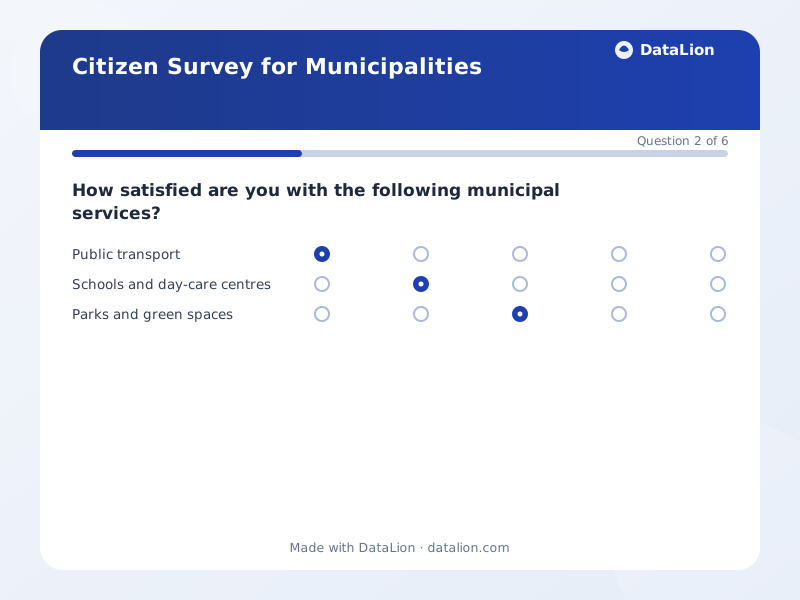
Citizen survey: the questionnaire template, and how to report it
A complete six-question template for a municipal citizen survey, plus the decisions that determine whether the numbers hold up in committee: random sample or open link, weighting, and a minimum case count per district.
Read more → - Aug 28, 2026
DataLion Release 2026.2.196 - Personal results, fieldwork, connectors and Trust Center
DataLion 2026.2.196 adds survey scoring with a signed personal result page, fieldwork in one place, Live Connectors for scheduled API imports, a dedicated NPS chart, and the Trust Center.
Read more → - Aug 27, 2026
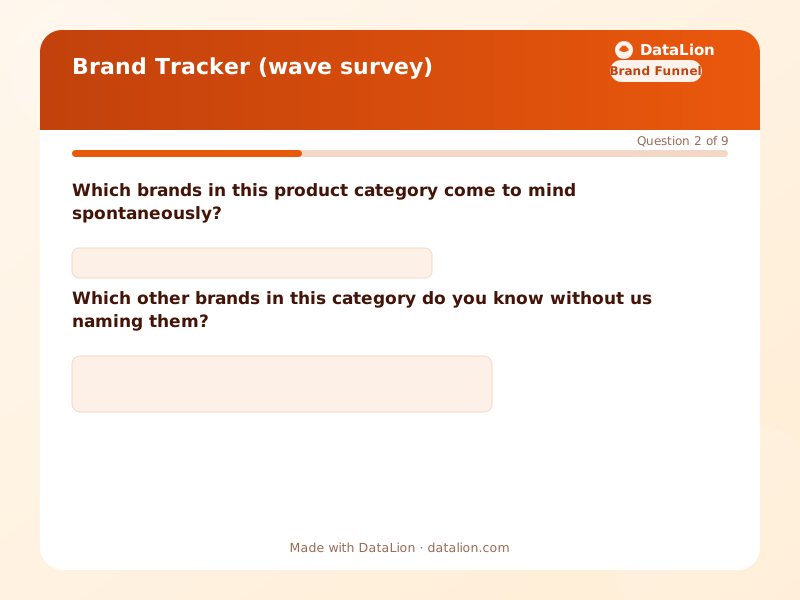
The brand tracker survey template, and the four ways trackers break
A brand tracker is a questionnaire you design once and then refuse to change. What belongs in it, in which order, why unaided awareness has to come first, and the four drifts that destroy comparability: brand list, sample, image battery, undocumented definitions.
Read more → - Aug 21, 2026
DataLion Release 2026.2.195 - Ask your data, tracker Waves, AI skills and modern charts
DataLion 2026.2.195 adds the AI panel for asking your own data, first-class tracker Waves, editable AI skills, missing values as a category, and the modern chart engine everywhere.
Read more → - Aug 11, 2026
DataLion Release 2026.2.194 - AI content translation, faster dashboards and sharper charts
DataLion 2026.2.194 translates whole projects with AI into 65+ languages, opens dashboards with many saved filters in seconds instead of minutes, and shows correct case numbers on hover again.
Read more → - Jul 31, 2026
DataLion Release 2026.2.193 - Insight Repository, project bundles, Tableau import and dark mode
DataLion 2026.2.193 adds the Insight Repository, portable project bundles, a public study gallery, Tableau import, 32 survey answer types, dark mode and new chart features.
Read more → - Jul 30, 2026
HR Metrics in a Dashboard: Which Ones Actually Say Something
Attrition, absence, time-to-hire – the usual HR metrics are quick to collect and often say little. Which numbers trigger a decision, which only create busywork, and why survey data in an HR dashboard follows rules of its own.
Read more → - Jul 28, 2026
Why Survey Data Breaks Your BI Stack
Power BI, Tableau and Qlik calculate reliably – until somebody brings an SPSS dataset. Then labels go missing, weights are ignored, multi-response questions fall apart and significance does not exist at all. A technical stocktake for everyone who has ever hand-built a parser.
Read more → - Jul 18, 2026
Analysing a Questionnaire in Excel – and When a Tool Is Faster
How to analyse a survey properly in Excel – pivot tables, multi-response questions as 0/1 columns, top-2 box instead of the average – and how to tell when an analysis tool starts to pay for itself. With an honest decision guide and a downloadable sample dataset.
Read more → - Jul 18, 2026
MaxDiff vs. Conjoint: Which Method When?
MaxDiff prioritises a list of individual items, conjoint evaluates whole product concepts including price. When each method fits, how to combine them and which mistakes make the results useless.
Read more → - Jul 10, 2026
DataLion 2026.2 – the highlights at a glance
DataLion 2026.2 is our biggest release yet. Until today, DataLion was the place your survey data went . From now on, it runs the whole loop: collect it, listen to it, present it. Here are the five cha
Read more → - Jul 10, 2026
DataLion Release 2026.2 - native surveys, one-drop dashboards, text analytics, Theme Studio, and Google Slides export
Welcome to DataLion 2026.2 . This line turns DataLion from "the place your survey data goes" into a tool that runs the whole loop: collect it, listen to it, and present it. It brings a compl
Read more → - Jul 10, 2026
DataLion Release 2026.2.192 - Surveys, one-drop dashboards, text analytics, Theme Studio, Google Slides export
🚀 Highlights Drop a file, get a dashboard -- The upload tile on the start page is now a live drop zone. Drop, paste or pick a CSV, Excel or SPSS file and DataLion creates the project, imports the data
Read more → - Jul 8, 2026
What Comes After NPS? Alternatives and Modern CX Metrics
The Net Promoter Score is well established – but it is not the end of the road. We walk through the most important NPS alternatives (CSAT, CES, Earned Growth Rate), AI-assisted verbatim analysis and what counts as state of the art in CX measurement today.
Read more → - Jul 7, 2026
NPS Survey: How to Create, Calculate and Analyze It
The Net Promoter Score measures customer loyalty with a single question. Here is how to create, calculate and interpret an NPS survey – with the formula, an interactive NPS calculator, the scale, benchmarks and the most common mistakes.
Read more → - Jun 9, 2026
DataLion Release 2026.1.191 - smoother signup, Claude Desktop integration, faster exports
🚀 Highlights Claude Desktop, self-service! -- Teams using Claude can now connect DataLion through a downloadable Claude Desktop extension. Admins get a dedicated integration page where users can gene
Read more → - Apr 24, 2026
DataLion Release 2026.1.190 - PNG export resolution, MCP expansion, filter weight reset
🚀 Highlights Crystal-Clear Chart Exports! -- Need a chart for a keynote slide or a high-DPI print? The new PNG export resolution setting lets admins switch dashboards between Standard (1x), High (2x)
Read more → - Mar 2, 2026
DataLion Release 2025.2.189 - async chart loading, heatmap toggle, performance boost
🚀 Highlights Lightning-Fast Chart Loading! -- Charts with large data tables no longer wait for the entire page to render. Datatable payloads now load asynchronously in the background, so your dashboa
Read more → - Feb 19, 2026
DataLion Release 2025.2.188 - highlight colors, Redis stability, GitHub migration
🚀 Highlights Highlight Colors for Charts! -- You can now assign custom highlight colors to individual data series directly from Chart Settings. Pick any color for any bar, line, or slice to draw atte
Read more → - Feb 13, 2026
DataLion Release 2025.2.185 - revamped sharing & embedding, cleaner reports, smarter filters
🚀 Highlights Sharing & Embedding, Reimagined -- We've completely overhauled how dashboard sharing and embedding works. Cleaner URLs, more reliable authentication, and a smoother experience fo
Read more → - Feb 10, 2026
DataLion Release 2025.2.187 - instant dynamic filters, per-chart filtering, smart codebook mapping
🚀 Highlights Faster Filters -- No More Page Reloads! -- This is a big one. Global filters now update instantly via dynamic dropdowns. Changing a filter no longer reloads the entire page, making dashb
Read more → - Jan 20, 2026
DataLion Release 2025.2.186 - friendlier chart errors, smart CSV handling, editable filters
🚀 Highlights Friendlier Error Messages for Charts -- No more staring at blank spaces wondering what went wrong. When a chart can't load, you now get a clear, helpful message telling you exactly w
Read more → - Jan 23, 2024
The Mighty Funnel Chart 🎩✨
Ever wondered how to effectively track your customer's journey, sales pipeline, or conversion rates? Enter the mighty Funnel Chart! 🎩✨ When to Use Funnel Charts: Conversion Analysis: Perfect for
Read more → - Sep 8, 2023
How DataLion helps Nielsen Sports increase efficiency and customer satisfaction in large tracking studies
"We now work much more efficiently, giving us more time to take care of the derivations and insights from the data for the customers." Jens Falkenau, vice president of market research at Nielsen Sport
Read more → - Sep 4, 2023
The Future of Market Research - 10 Reasons why Data Visualization is Crucial!
In a world where data is ubiquitous, the clear presentation and visualization of data in market research are playing an increasingly significant role. As a leading SaaS startup in data visualization f
Read more → - Jul 19, 2022
DASHBOARD SOFTWARE VERSION 2022.2 RELEASED
The new Version 2022.2 is here! DataLion wishes you a relaxing summer and makes it easier for DataLion admins to work with the software: Filter and delete data online, an overview page for project rep
Read more → - Oct 14, 2021
Dashboards for Market Research - Part 2: Integrating Different Data Sets and Timelines
Dashboard software for market researchers - Part 2 . Check the Part 1 - Dashboards for Market Research of the series here: Part 1 - Data . DataLion is designed as a market research dashboard software
Read more → - Sep 29, 2021
DataLion at Succeet21 - AI in Market Research Dashboards
Meet and succeed with DataLion: "Succeet21" - Stand. 114 On October 27th and 28th, the market research fair Succeet21 will take place in Munich - the trade fair for insights and market research. After
Read more → - Sep 7, 2021
DataLion at Dmexco and Digitalx
DataLion is exciting to join the two events of DMEXCO & DIGITALX to join the discussions with other businesses in Europe about business analytics, digital business, marketing , and innovation this
Read more → - Aug 3, 2021
ARTIFICIAL INTELLIGENCE IN MARKETING AND MARKET RESEARCH
Living in the Age of Artificial Intelligence and Machine Learning. The technology that surrounds us is becoming more and more intelligent. AI and machine learning appear everywhere include in market r
Read more → - Aug 3, 2021
Dashboards for Market Research - Part 1: Data
From the beginning, we designed DataLion as a dashboard software for market researchers. One reason for this is certainly our professional background in the industry. But what exactly makes a market r
Read more → - Jul 15, 2021
Dashboard solutions: a checklist for choosing the right one
Do we all know how important it is to have the right Dashboard Tools? Dashboard tools are playing an increasingly important role for companies for a reason: Without the right dashboard platform , the
Read more → - Jun 30, 2021
The 7 most common big data challenges in data analytics
What are the most common big data challenges when it comes to your data analytics? How to use a holistic data strategy to make big data and data analytics child's play and maximize your return on data
Read more → - Aug 14, 2020
Big Data Design Thinking
Solving problems and developing innovations for Big Data Data is the new oil. But while the use of oil was relatively clearly defined, there are much more possibilities in data. It's an endless story.
Read more → - Aug 9, 2020
WHY DASHBOARDS ARE A GOOD FIT FOR DATA SYSTEMS?
Image by Rawpixel via Pixabay Dashboards for data systems Why exactly do dashboards and data systems go so well together? That is the topic of the article by Benedikt Droste, Senior Data Analyst at MS
Read more → - Jun 12, 2020
Chart types for dashboards: which one to use, and when
In Data visualization, dashboards are a great way to make sense of complex data. How effective a dashboard is, however, ultimately depends on the specific composition. In modern dashboard systems like
Read more → - Mar 4, 2020
Machine learning: Best 4 free math books for deepening your skills
The best things in life aren't things - but free books. At least if you want to spend the next few weeks taking your machine learning to another level. We've selected four great books that help you to
Read more → - Jan 7, 2020
How to build a dashboard people actually use: six rules
Most dashboards fail on design, not on data. Six rules for building one people come back to – and the one question to answer before you place a single chart.
Read more → - Dec 1, 2019
KPI Reports: Unfolding the full power of KPIs in dashboards
Key performance indicators or KPIs are not just a big issue in most companies since the growing importance of business intelligence software . However, it is very controversial which KPIs actually lea
Read more → - Nov 23, 2019
Space visualization: The 5 most beautiful data visualizations
These days we are celebrating the 50 th anniversary of the Apollo 11 moon landing and focusing on a possible new lunar conquest by 2023. But let’s dream a bit and look at the most beautiful space visu
Read more → - Aug 20, 2019
Dashboard software released: DataLion dashboard solution Ver 1.10.6
Improvements and new features in Dashboard software released: DataLion team is proud to introduce our newly dashboard software released: Dashboard solution Ver 1.10.6 . You will find the following new
Read more → - Jun 13, 2019
DataLion Dashboard software Version 1.10.5 released - update data analysis tools
In our updated data analysis tools/ dashboard platform : Calculated columns and PowerPoints with several charts on one slide are now available in the new version of data analysis tools . Powerful and
Read more → - Feb 13, 2019
Innovation in market research & Big data management
DataLion - Innovation in market research on the IIEX Europe We are on the IIEX Europe from 18.-19. February as an exhibitor in Amsterdam. The IIEX - Insight Innovation EXchange - is the premier fair f
Read more → - Aug 21, 2018
Top Data Science Influencers: CEO Benedikt Köhler among the Top 50 Data Science Influencers
We are beyond thrilled that our CEO and founder Dr. Benedikt Köhler is on the list of the Top 50 Data Science Influencers. The list was published by Cognilytica in mid-August 2018. Let’s follow Benedi
Read more → - Jul 12, 2018
Dashboard Platform updated - DataLion 1.9 released
Experience more lion power in the new Dashboard Platform version There’s exciting news from DataLion Dashboard Platform: we released version 1.9 which includes numerous new features we’ve developed in
Read more → - Jun 25, 2018
DataLion at the Digital Challenge 2018
In mid-June, numerous specialists and interested parties from agencies, institutes and companies got together in Munich in order to discuss the latest developments in digitization. We were very much e
Read more → - Jun 20, 2018
The 5 Most Creative Music Visualizations
“Data is power”: by now an established fact. “Music is power”: a universal truth. So what do we get, when we creatively combine the plethora of available data on music with analyzing techniques and po
Read more → - Jun 6, 2018
Smart Data - Digital Challenges with DataLion in Munich
We are proud to be holding speeches in two events in just one week about Smart Data & Digital challenges. It all starts on Monday, the 11 th of June at the Travel Industry Club. Our CEO and founde
Read more → - Oct 19, 2017
Craft Beer & Data Tasting
Data Tasting at Research & Results 2017 After the great success of our first "Festbier Tasting" side-event of the Bits & Pretzels startup conference , we are looking forward to hosting another
Read more → - Sep 26, 2017
Data-Driven Research , Beer tasting @ DataLion
Data-Driven Research, Beer tasting @ Bits & Pretzels Monday evening was a special evening at the DataLion office in Munich. We hosted a beer tasting event as an official side-event of the Bits &am
Read more → - Jun 1, 2017
BI dashboard tools DataLion version 1.6 is live now
BI dashboard updated: Time Series, data import, drag & drop for customized dashboards New Month - new update! Our software engineering lions worked until last night on the BI dashboard software 's
Read more → - May 15, 2017
DataLion nominated for I-COM 2017 data startup competition
Data Startup challenge: I-COM global summit The international marketing and data community will meet in Porto at the I-COM global summit "Data 2017 - the year of change" from April 24 to 27. We're ver
Read more →