
In short: Most dashboard solutions demo well. The differences that decide whether the tool still gets used a year later are boring ones – how data gets in, how much preparation it needs before it can be shown, who is allowed to see what, and what happens when the next wave of data arrives. This checklist covers the six areas where those differences actually show up.
Working through them takes an afternoon. Skipping them costs a year. If you already know which tool you want and are looking for how to lay the thing out, read six tips for building a dashboard people use instead.
Do we all know how important it is to have the right Dashboard Tools?
Dashboard tools are playing an increasingly important role for companies for a reason: Without the right dashboard platform, the growing mountains of data can hardly be analyzed and presented in an understandable way. Business Intelligence (BI) without the appropriate software solution is not possible. However, finding the right software for the company is anything but easy. This article explains what you should consider when looking for a suitable dashboard tool.

Purpose and interfaces of the dashboard tools
The motives for using the dashboard tools are very different. To find suitable software, you should first define your objectives as specifically as possible. There are important questions that need to be answered. For example: What data do you want to analyze? For what purpose will the knowledge gained be used? And how should the results be presented?
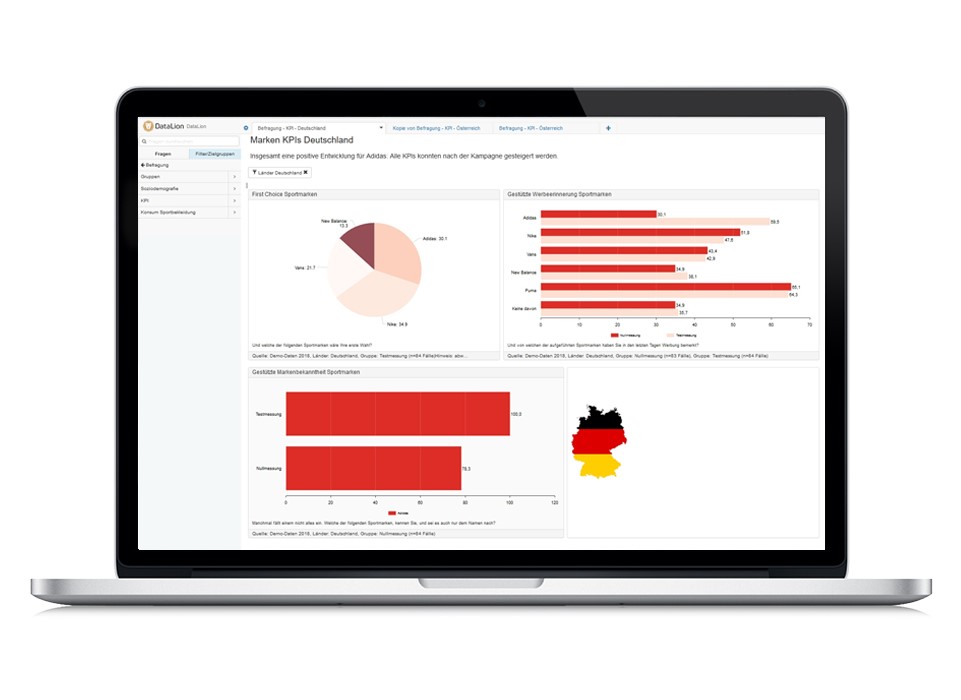
The right dashboard platform should ideally be tailored to your goals. Each software solution has different priorities which should definitely be compared with your needs. While some dashboards come from the business intelligence (BI) environment, other platforms root in market research or big data analysis and may be better suited to your requirements.
We recommend that you note the following points for the Dashboard tools checklist:
- The dashboard platform is suitable for your specific objective and purpose
- The volumes and types of data provided can be processed by the platform without any problems
- The platform has as many interfaces as possible to accommodate various data sources (data import, databases, APIs), possibly with real-time access
- Larger amounts of data can also be handle without any problem in the dashboard tools
- Export of the dashboard results is easy and uncomplicated, for example in Microsoft Excel, PowerPoint, PDF, or image files
- Export files can be processed further
- The solution can be optically adapted to your needs, e.g. to your corporate identity
 Usability and flexibility in Dashboard Tools
The software solutions in the market often differ fundamentally in terms of operation and configuration. While some solutions are also suitable for less IT-savvy users, others should be used by data scientists or programmers.
When using the final dashboards, not only the topic of configuration should be considered, but there are also big differences in terms of user-friendliness. It is therefore important that the dashboard solution fits the existing resources and the situation in the company.
Dashboard Tools Checklist:
- My company can set up the tool with the skills of the existing employees and use it in day-to-day business
- Creating dashboards is easy and intuitive
- The display options of the dashboard meet the requirements of the dashboard users
- The dashboard works across devices, for example on the laptop as well as on the smartphone
- Loading times for platform use and the dashboard view are short
- The presentation of the results can be easily customized at any time
- Sufficient suitable visualization options are available
- Recurring work steps, such as the creation of reports, can be automated
Security and data protection in Dashboard
Data security has not only been the focus of data processing companies since the General Data Protection Regulation (GDPR). Compliance with data protection regulations is therefore a central requirement for a data analysis platform. But also with regard to access to sensitive data within the company, corresponding requirements must be met, such as different authorization levels depending on the department.
Dashboard Tools Checklist:
- The location of the server meets your security requirements (ideally it is in Germany)
- Alternatively, it is possible to host the dashboard on a company's own server and not just in the cloud
- The strict regulations of the German data protection law are adhered to
- The data transfer while using the dashboard platform is carried out using encrypted procedures
- It is possible to define appropriate authorization levels for different users

Photo by Glenn Carstens-Peters on Unsplash
Effort, service and costs in Dashboard Tools
The introduction of a dashboard solution should be based on solid planning. In order to keep the effort on your part as low as possible, the platform must be as easy to configure and individualize as possible. The availability of support and, ideally, a personal contact person should be guaranteed. On the other hand, it is important to keep an eye on costs, as the price models of the various providers are very different.
Dashboard Tools Checklist:
- Expenses in my company such as the provision of the data/interface are clear and realistic for our company
- Any setup costs are transparent and clearly defined
- The provider can help you set up the dashboard or do it for you entirely
- Running costs are clearly visible and fit your budget
- Easy accessibility and short reaction times of the support are guaranteed.
- Have a personal consultant, as a customer.
Data-Preparation in Dashboard Tools
A big difference between various dashboard systems lies in the way and whether the data has to be prepared for the dashboard. There are systems in which the data can be uploaded to the dashboard without much preparation. If the data record already contains information such as labels or variable names, data can be imported into the dashboard without any problems.
With some systems, steps such as calculating new variables, creating index values or calculating top boxes or low boxes can be carried out directly in the dashboard. In other systems, however, a lot of preparation with other statistical or table tools is necessary before the data can be visualized.
Dashboard Tools Checklist:
- Structured data sets can be uploaded directly to the dashboard
- New variables can be calculated directly in the dashboard
- Characteristic values such as top boxes can be created in the dashboard
Further criteria for the dashboard selection
In addition to these criteria, there are numerous other criteria that may be relevant to you. These depend on the focus of your dashboard and the background of your company. Especially in the way that data is presented in dashboards and which additional statistical parameters can be displayed if necessary, there are a number of factors that would impact your decision. For market research institutes, for example, the ability to choose between weighted and unweighted data is an important requirement.
Test dashboards first
Some providers provide test versions within the dashboard platform. In addition, you can also take part in a guided online product tour with good suppliers. You should definitely take advantage of this offer before committing to a solution.
Test DataLion Free Demo Now:
Use the Dashboard Tools checklist template
Make your life a little easier by downloading this checklist as a template for your selection process. The checklist is available in Excel to make it easy for you to compare and weigh a wide variety of dashboard providers.
Enter your name and email address in the form below to get the Dashboard Solution checklist at short notice.
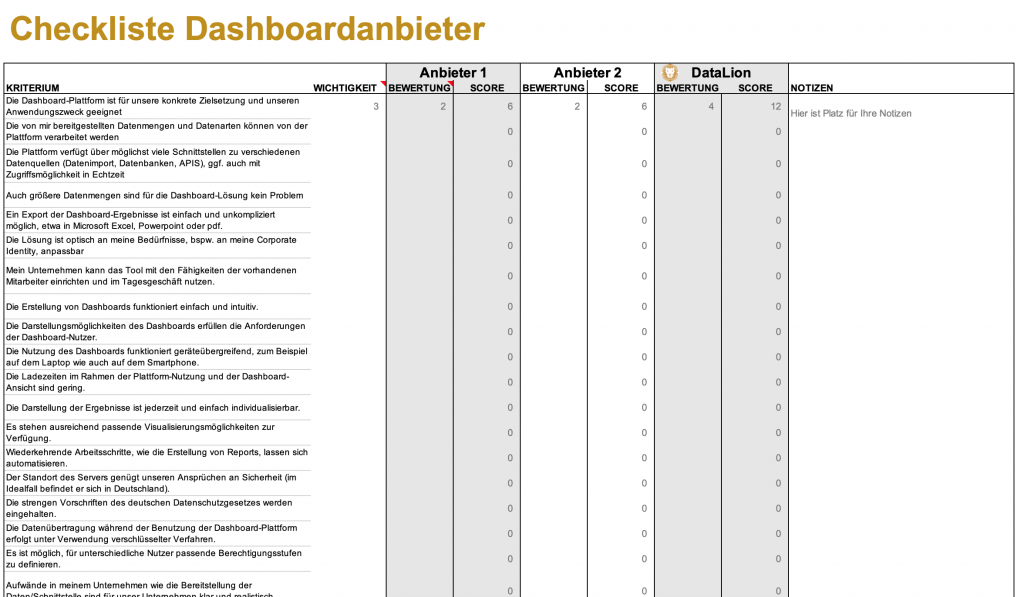
Dashboard provider checklist in Excel for download