
Export
PowerPoint export — natively editable, in your CI
Export charts, dashboards and whole reports as natively editable PowerPoint slides — in your corporate design, not as flat screenshots. Titles, axes and tables stay fully editable in PowerPoint.
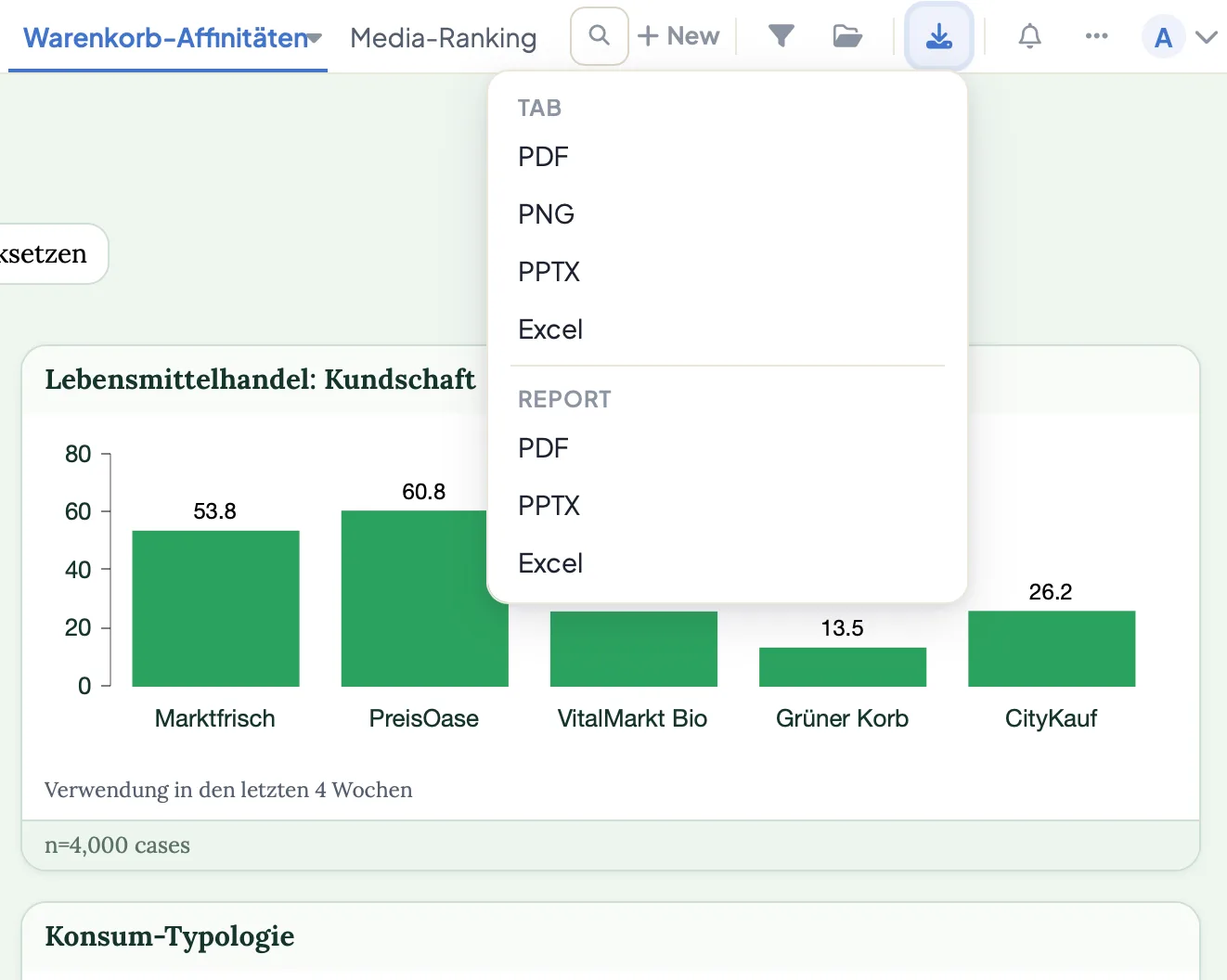
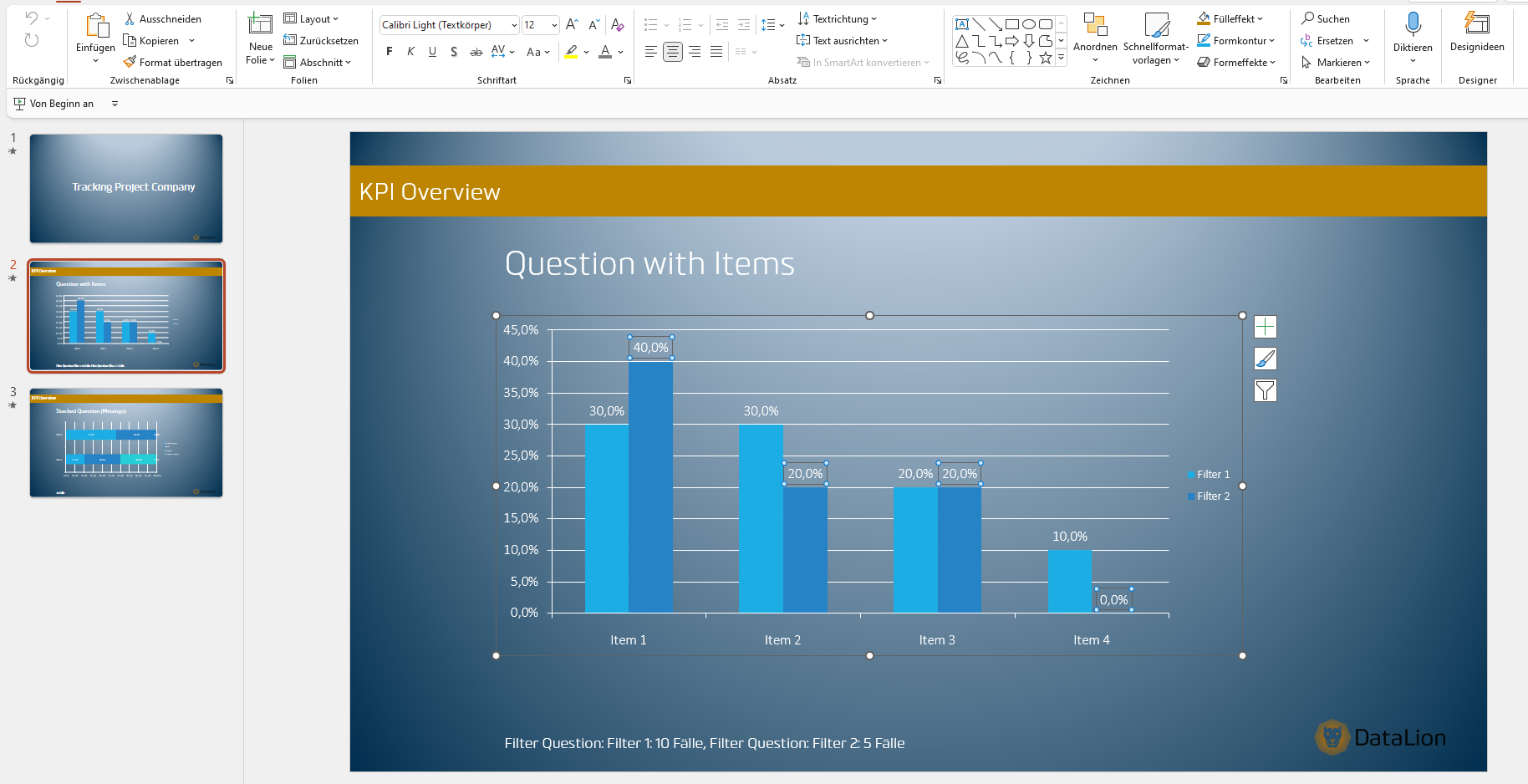
DataLion exports your charts, dashboards and reports as natively editable PowerPoint in your own CI layout — not as flat screenshots. A custom PPTX master with placeholders for title, description and footer keeps branding consistent, while a JSON config controls slide layout, format and font size. Conditional table formatting is preserved.
Prefer to watch? The 2-minute tutorial
- 🇩🇪 Made in Munich
- GDPR-compliant
- DPA included
- Hosted in Germany
- 🌐 Interface in EN, DE, FR, ES, IT & NL
Trusted by research institutes, brands & insights teams






- 50+ interactive chart types
- 20+ statistical methods
- SPSS · Excel · CSV import without data loss
- ISO 27001 certified data centers (Germany)
Reporting to PowerPoint eats hours
- Charts get pasted in as screenshots — and every correction means starting over.
- Colors, fonts and logos drift from the corporate design slide by slide.
- Every new wave means rebuilding the same deck by hand instead of generating it in one click.
Real PowerPoint objects — not a flat image
DataLion exports your visualizations as native PowerPoint objects: charts, tables and text fields remain real slide elements. Move them, adjust colors or change a number directly in PowerPoint — with no re-export.
That's the difference from the usual screenshot workflow: instead of a frozen image you get a deck you can keep editing — right up to the minute before the meeting.
- Charts, tables and text as real slide elements
- Layout, colors and content adjustable in PowerPoint
- No second export round for small corrections
Your PPTX master with placeholders
Store your own PowerPoint master and every slide is born in the right look. Placeholders for report, dashboard and chart title, description and footer are filled automatically on export.
Every deck looks like it came from one hand — without anyone inserting logos or fixing fonts. Ideal for institutes and teams that deliver in a client CI.
- Your own PPTX master as the template
- Placeholders for title, description and footer
- Filled automatically from report, dashboard and chart
Slide layout driven by JSON
A JSON configuration defines how your slides are built: you set layout, output format and font size centrally — not by hand per slide.
Defined once, it applies to every wave and every project the same way. That makes the export reproducible and keeps even large report books clean and consistent.
Conditional formatting is preserved
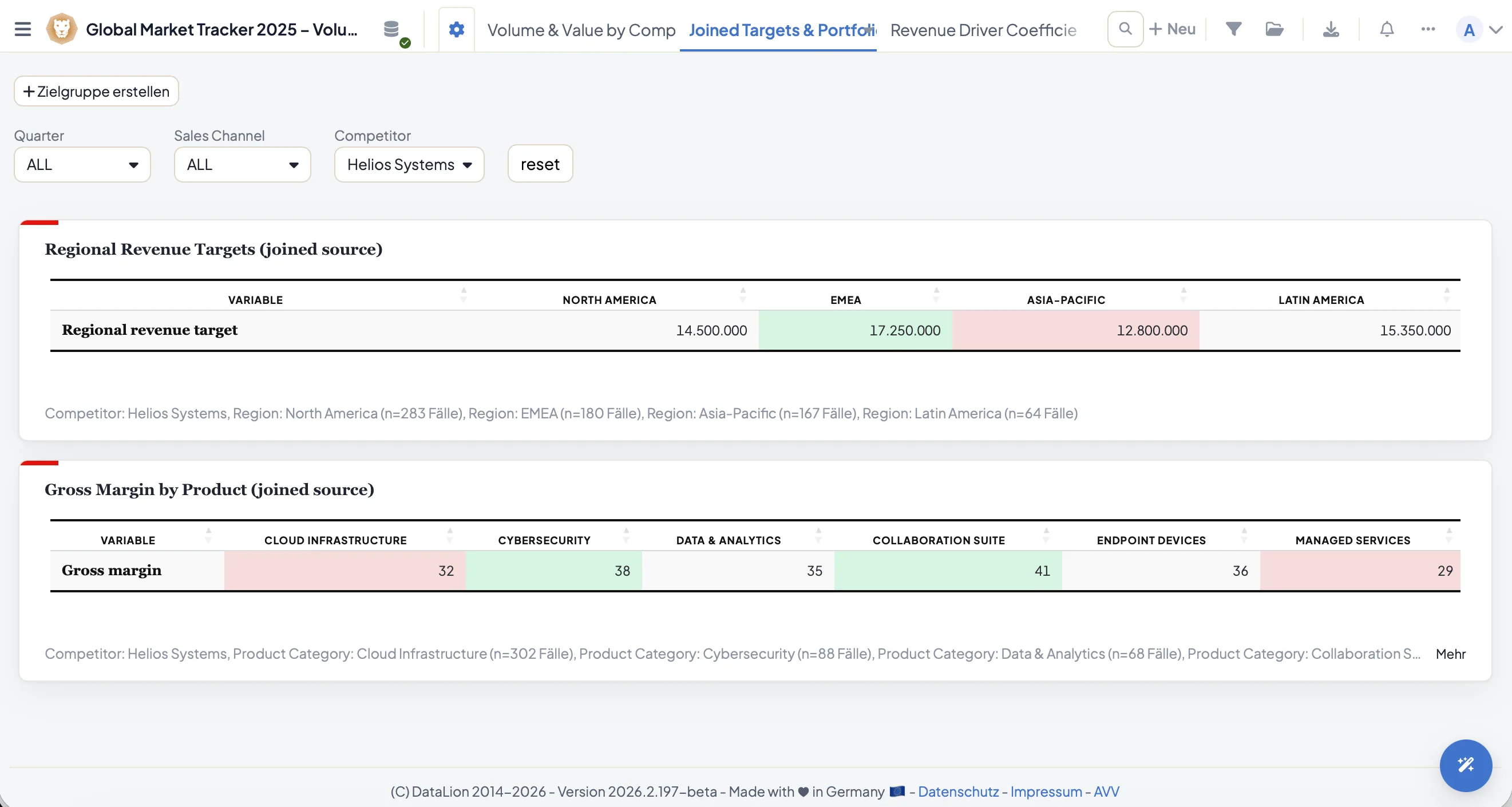
Heatmap tables, highlighted significances, traffic-light colors: whatever conditional table formatting you define in the dashboard lands in the PowerPoint file as well.
Your tables arrive not as a pale wall of numbers but reading exactly as they do in the tool — including the color highlights that carry the message.
- Conditional table formatting is carried into the PPTX
- Color highlights and heatmap logic are preserved
- Tables stay editable as real PowerPoint tables
One click further: Excel, PDF & co.
PowerPoint is the flagship, but not the only output format. Export the same content as flexible Excel report books, as PDF, as high-resolution PNG/JPEG, or as case-level CSV.
Once set up, dashboards and reports refresh automatically — wave after wave, in the same layout.
See DataLion with your own data
Start free with your own raw data. Or book a personal demo of the path to a finished dashboard.
What users say about DataLion
- via G2
The embedding function allows us to generate insights of our data for our audience and customers by far less than half of the usual time needed before.
Verified user · Leisure, Travel & Tourism - via G2
User-friendliness, especially for market research topics. Structured backend with many customization options.
Verified user · Market Research - via G2
The contacts at DataLion are very committed. If you have problems, you can count on help. DataLion reacts quickly to requests for new functions.
Robert Q. · Managing Director - via G2
Very professional company, attentive to the customer needs, provider of a great software and service.
Generoso M. · CRM Analyst, Automotive

We now work much more efficiently, giving us more time to take care of the derivations and insights from the data for the customers.
More export features
Guides in the help center
Common questions about PowerPoint export
Are the slides editable in PowerPoint, or just images?
Does the export come in my corporate design?
Can I control slide layout and font size?
Is conditional table formatting preserved?
What other export formats are there?
Export your first report as PowerPoint
Try DataLion free — or get a demo of how your dashboard becomes a natively editable PowerPoint deck in your CI.