
Business-intelligence software compared
The DataLion alternative to Power BI
For revenue, finance and operations dashboards Power BI is hard to beat — credit where due. With survey data the picture flips: DataLion knows multi-response, scales, weighting and significance natively — without DAX — and reports in your own CI.
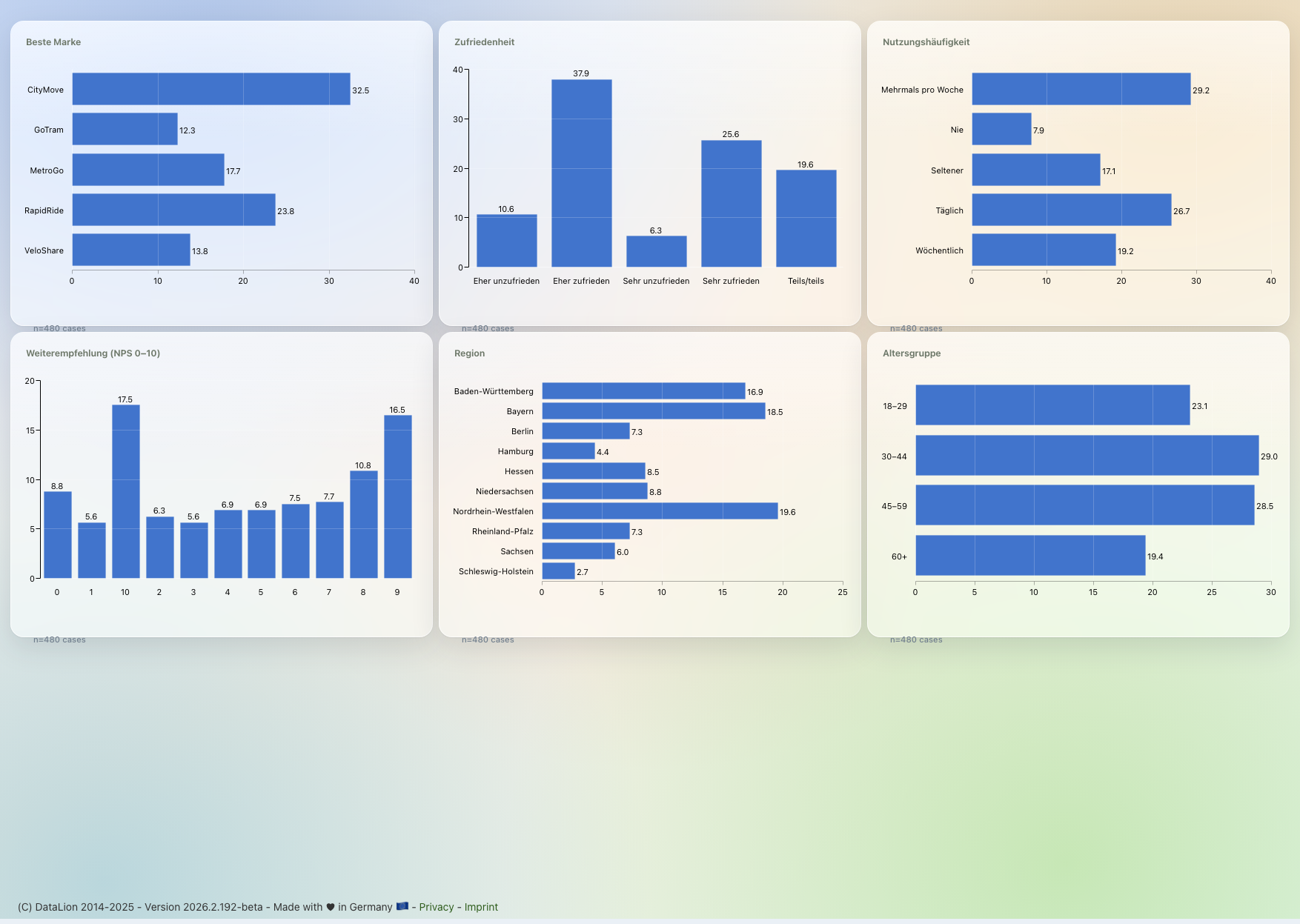
Power BI is excellent, affordable business intelligence — but not survey-aware: multi-response, scales, weighting and significance only come via Power Query and DAX. DataLion treats them as native concepts — point-and-click, no DAX — exports natively editable PowerPoint in your own CI, and hosts in ISO 27001-certified data centers in Germany.
DataLion vs Power BI at a glance
Power BI is first-rate as a general BI tool — so here is an honest look at where it shines and where survey data turns into DAX and Power Query tinkering.
| DataLion | Power BI | |
|---|---|---|
| Survey logic | Multi-response, scales, weighting, net/top-box native | No native concept — unpivot in Power Query + DAX patterns |
| Significance testing | Cell-level significance built in, point-and-click | Not native; only via R/Python visuals |
| MR crosstabs | Banner crosstabs with weighted bases out of the box | Matrix visual + hand-built DAX |
| PowerPoint reports | Natively editable, in your own CI, automated | Static PPT export; rarely in study layout |
| Data location & hosting | ISO 27001 data centers in Germany, DPA, on-premise | Power BI Service on Azure; EU region & Multi-Geo configurable |
| Pricing model | Flexible & usage-based | Pro ~$14/user/mo, PPU ~$24; larger via Fabric capacity (F-SKUs) |
| Lightweight modeling | No-SQL sum/count/average measures, drill paths, time-grain grouping and "promote column to question" — plus a read-only data-model diagram for joins | Deep modeling via DAX measures (more powerful, but more manual work) |
Choose DataLion if …
- You work with survey and market-research data and want multi-response, scales, weighting and significance without DAX
- You need MR crosstabs and natively editable PowerPoint reports in your own corporate layout
- Hosting in Germany (ISO 27001 data centers), a DPA and optional on-premise are mandatory for sensitive respondent data
- You want fieldwork, prep, analysis and reporting in one tool — flexibly licensed, with AI via Claude over MCP
Choose Power BI if …
- You mostly build classic BI dashboards (revenue, finance, operations) and live in the Microsoft/Azure stack
- You need deep modelling with DAX and Power Query and value the Excel/Teams integration
- Respondent data is non-sensitive, or your tenant is already cleanly configured to an EU region
- 🇩🇪 Made in Munich
- GDPR-compliant
- DPA included
- Hosted in Germany
- 🌐 Interface in EN, DE, FR, ES, IT & NL
DAX and Power Query are powerful — but not survey-native
Be fair: the Power BI data model is excellent. With Power Query/M you clean data, with a tabular star schema you model facts and dimensions, and with DAX you build any measure you like. For classic BI sources like ERP, CRM and finance that is exactly right.
Survey data fits this model poorly, though. Multi-response has to be unpivoted in Power Query and reshaped into helper tables, scales and top-box values rebuilt as custom DAX measures, weighting defined by hand — and significance testing simply isn’t there without R/Python visuals. DataLion treats multi-response, scales, net and top-box values as native concepts, with no model gymnastics.
- Power BI: DAX + Power Query/M, star schema — ideal for classic BI
- Surveys require unpivoting, helper tables and custom DAX patterns
- No native concept of weighting, significance or codebooks
- DataLion: multi-response, scale, net/top-box point-and-click — no DAX
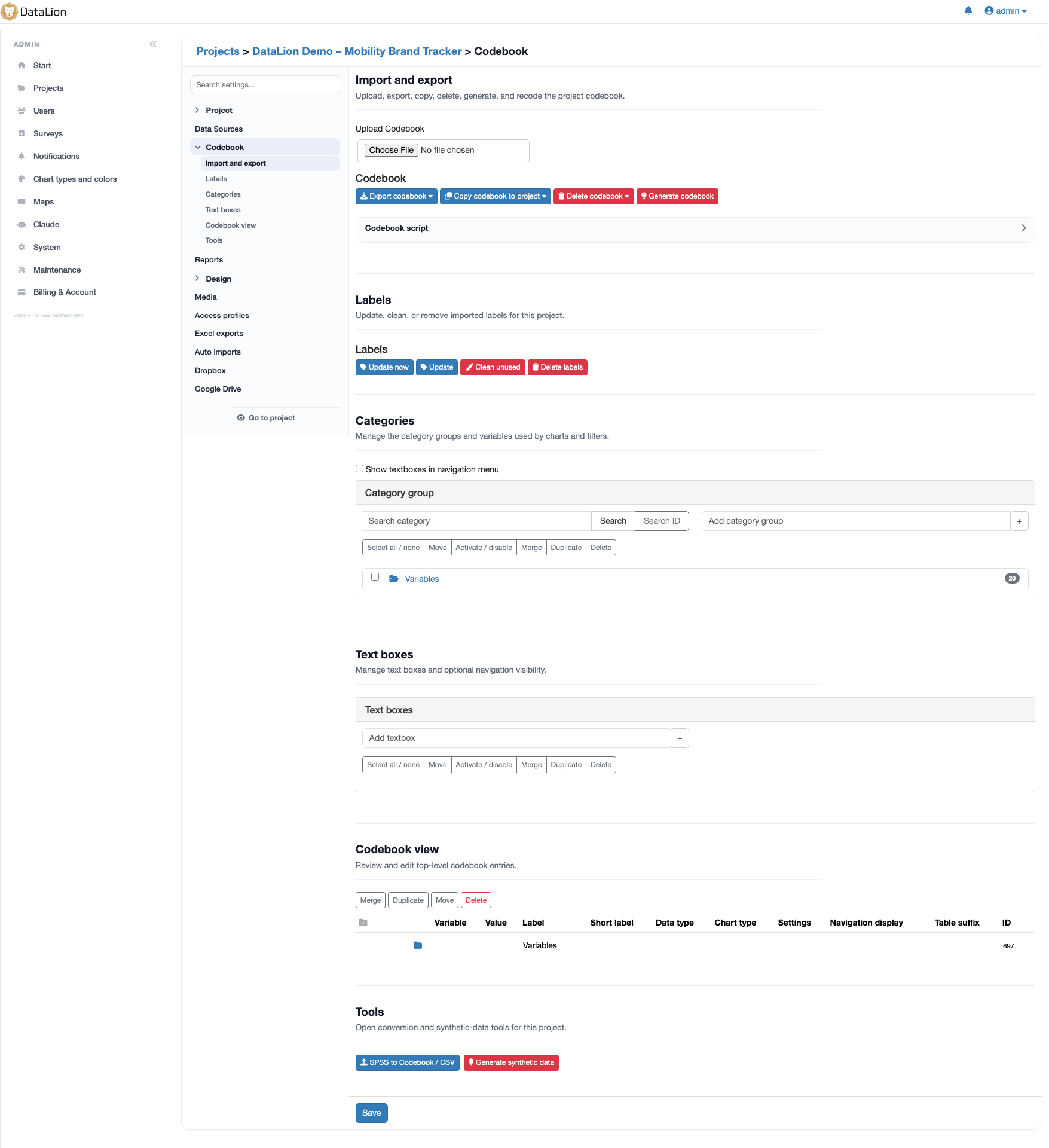
MR crosstabs and PowerPoint in your own CI
The classic market-research crosstab — banner columns, weighted bases, cell-level significance, net/top-box rows — is hand-built in Power BI from a matrix visual plus DAX. DataLion delivers exactly those crosstabs point-and-click, with significance flagging and 50+ chart types.
For reporting the gap is wide: Power BI is built around interactive online dashboards; a PowerPoint export exists, but it is meant for static slides and rarely in your final study layout. DataLion exports natively editable PowerPoint in your own CI plus Excel report books — auto-refreshed wave over wave.
- MR crosstabs with significance: matrix visual + DAX in Power BI, native in DataLion
- Power BI shines at interactive online dashboards
- PPT export in Power BI is static and rarely in study layout
- DataLion: natively editable PowerPoint in your CI + Excel report books
Sensitive respondent data hosted in Germany
Power BI runs as the Power BI Service on Azure. Where data is stored depends on the tenant’s home region, set at sign-up; Microsoft offers EU regions, and Multi-Geo (part of Premium/Fabric) spreads workspaces across regions. For sensitive respondent data, though, that is a configuration concern inside the Microsoft cloud — not the default. DataLion hosts in ISO 27001-certified data centers in Germany, includes a DPA, and supports on-premise.
Effort and licensing differ too: Power BI Pro is about $14 per user/month, Premium Per User about $24; larger setups run on Fabric capacity (F-SKUs) — the old P-SKUs are being retired. Only at F64 and above does the per-viewer Pro licence fall away. DataLion uses flexible, usage-based licensing and support in your language.
DataLion vs other BI & analysis tools
Common questions about DataLion and Power BI
Why not just use Power BI for survey data?
Do I need DAX to analyse survey data in DataLion?
Where is my data hosted — DataLion vs Power BI?
Can I bring my Power BI or Excel data into DataLion?
Can I use DataLion and Power BI together?
See DataLion next to Power BI
Try DataLion for free — or get a demo of how multi-response, weighting, significance and natively editable PowerPoint come together, with no DAX at all.