
BI & market-research software compared
The DataLion alternative to Tableau
For general BI and free-form exploration Tableau is first-rate — credit where due. With survey data it flips: DataLion understands multi-response, scales, weighting and significance from import — no reshaping, with native PowerPoint, hosted in Germany.
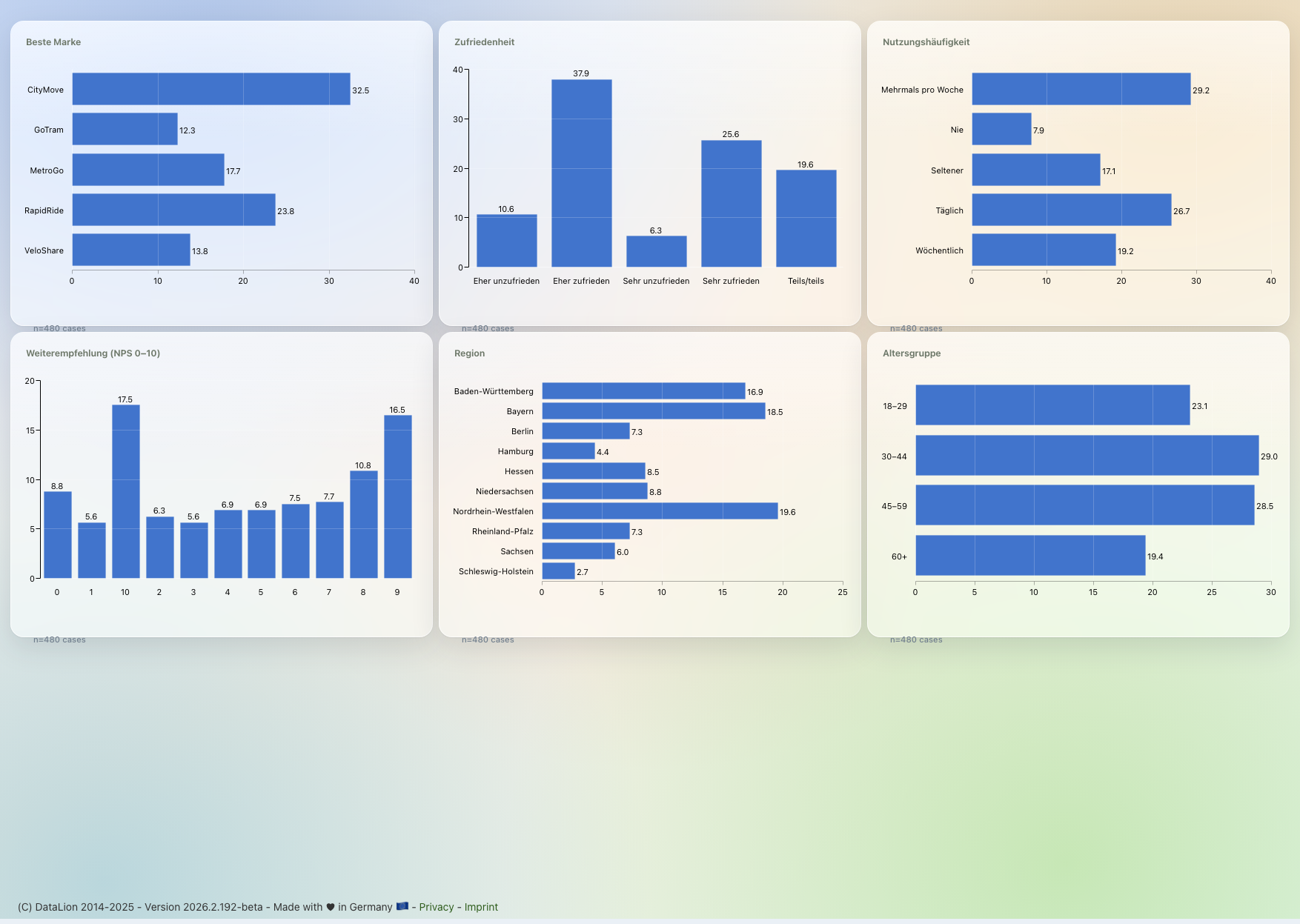
Tableau (Salesforce) is best-in-class at general business intelligence — but it is not survey-aware: multi-response, scales, weighting and significance first need reshaping in Tableau Prep. DataLion understands these structures from import, delivers banner crosstabs and natively editable PowerPoint, and hosts in ISO 27001-certified data centers in Germany — with no BI skills required.
DataLion vs Tableau at a glance
Tableau is hard to beat at general visualization — that is a given. This comparison matters for one thing only: what happens when your data comes from surveys? That is where the real differences sit.
| DataLion | Tableau | |
|---|---|---|
| Survey data model | Survey-aware from import — multi-response, scales, codebook automatic | Reshaping needed: pivot/custom split in Tableau Prep (“short & fat” → “tall & thin”) |
| Weighting & significance | Built in — weighting, cell-level significance, net/top-box | Weight column + SUM tricks; significance via R/Python or pre-computed |
| Visualization engine | MR analysis & 50+ chart types, point-and-click | Best-in-class: VizQL, LOD expressions, table calculations, R/Python |
| PowerPoint reports | Natively editable, in your own CI, automated; Excel report books | Built for interactive dashboards; a client-ready deck is manual work |
| Data location & hosting | ISO 27001 data centers in Germany, DPA, on-premise | Tableau Cloud on AWS/Hyperforce (US/EU); Tableau Server self-hosted |
| Pricing model | Flexible & usage-based | Per user/role: Creator/Explorer/Viewer, annual |
| Lightweight modeling | No-SQL sum/count/average measures, drill paths, time-grain grouping and "promote column to question" — plus a read-only data-model diagram for joins | Deep modeling via LOD expressions (more powerful, but more manual work) |
Choose DataLion if …
- Your data is survey/market-research data — multi-response, scales, weighting, significance without reshaping
- You want fieldwork, prep, analysis, dashboards and reports in one tool
- You need natively editable PowerPoint decks in your own CI — not just interactive dashboards
- Hosting in Germany (ISO 27001 data centers), a DPA and optional on-premise are mandatory; AI via Claude over MCP
Choose Tableau if …
- You need general BI across many data sources (sales, finance, web) — not primarily survey data
- You want maximum visualization flexibility with LOD expressions, table calculations and R/Python
- You have BI skills on the team and already use Salesforce/Tableau Cloud/Server
- 🇩🇪 Made in Munich
- GDPR-compliant
- DPA included
- Hosted in Germany
- 🌐 Interface in EN, DE, FR, ES, IT & NL
For general BI and exploration, Tableau plays at the very top
Be fair: for general business intelligence Tableau is first-rate. The VizQL engine turns every drag-and-drop straight into a data query and a chart, LOD expressions (FIXED/INCLUDE/EXCLUDE) and table calculations cover almost any aggregation logic, and the connector ecosystem, community and public gallery are hard to beat.
DataLion does not aim to beat Tableau at general BI — across sales, finance or web data Tableau is the more flexible choice. DataLion is instead purpose-built for survey and market-research data: the same crosstab, weighting and significance logic, but point-and-click, without first rebuilding your data for a BI engine.
- Tableau: VizQL engine, LOD expressions, table calculations, R/Python integration
- Tableau: huge connector ecosystem, a calc language and a large community
- DataLion: MR analysis (crosstabs, weighting, significance) point-and-click
- DataLion: no BI skills required — built for research, not dashboard, professionals
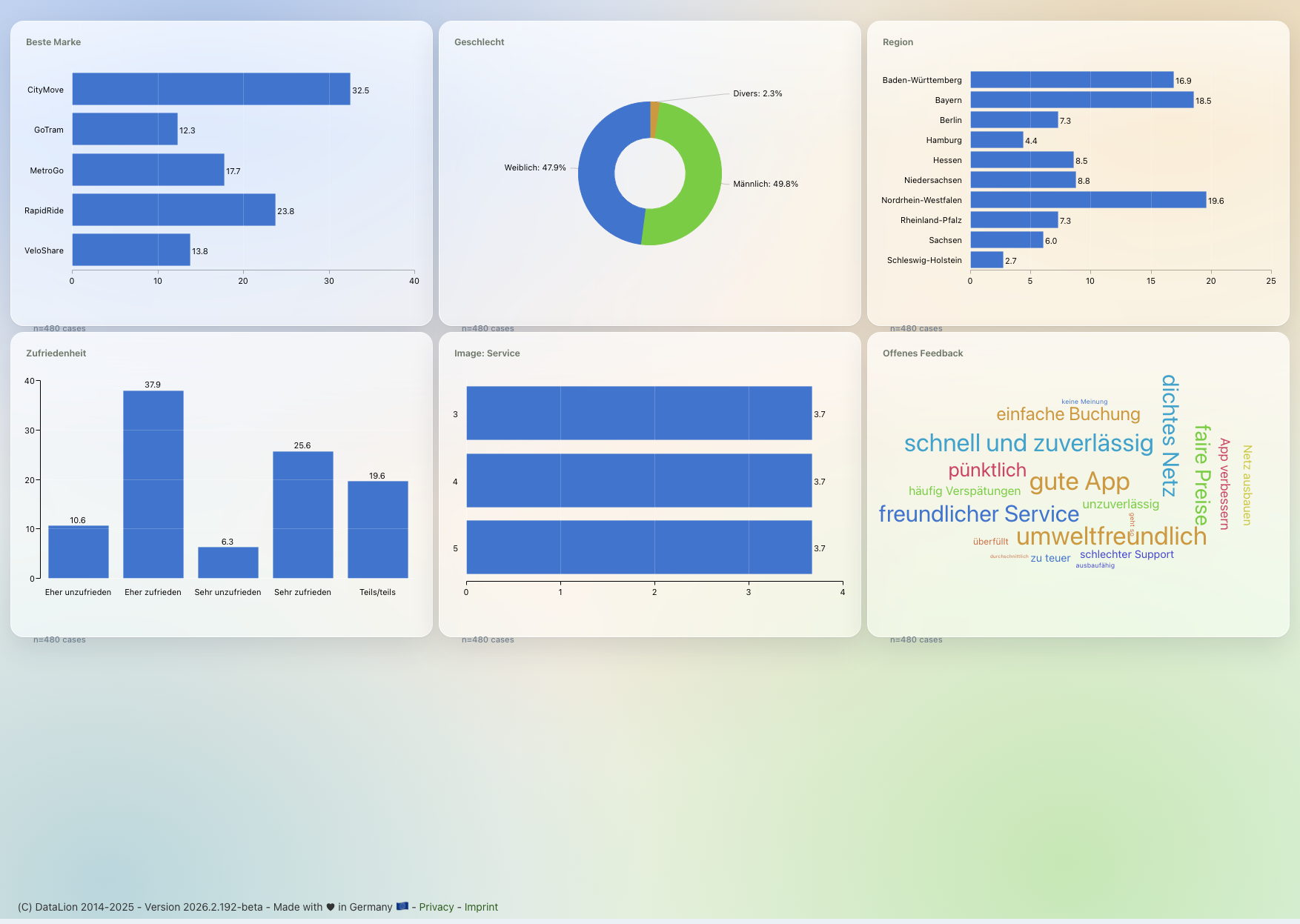
Survey-aware instead of reshaping in Tableau Prep
Tableau expects “tall & thin” data — one row per observation. Survey data arrives “short & fat”: one row per respondent, one column per question. Before you can start in Tableau you have to pivot in Tableau Prep, split multi-response answers with a custom split (semicolon) and a double pivot, and restructure matrix questions. Weighting hangs on a weight column and SUM tricks; significance tests are not built in and run via R/Python or pre-computed values.
DataLion understands these structures from import: multi-response becomes 0/1 columns, matrix questions become one column per row, and scales, net/top-box values, weighting and cell-level significance are built in — including a codebook with variable and value labels. Publish a survey in DataLion and the project, dataset and codebook are created automatically, with no reshaping step at all.
- Multi-response auto-becomes 0/1 columns instead of custom split + double pivot
- Weighting, significance, net/top-box built in instead of an R/Python workaround
- Full codebook with variable & value labels instead of manual prep
- AI via Claude (MCP) drives projects, imports and analysis in plain language
Native PowerPoint decks, hosted in Germany
Market research ships in PowerPoint. Tableau is built for interactive dashboards and Tableau Cloud/Server; a client-ready deck in your corporate layout with banner crosstabs is not its natural output. DataLion exports natively editable PowerPoint in your own CI plus Excel report books — and both refresh wave over wave automatically.
Data location and model differ too: Tableau Cloud runs on AWS/Hyperforce (US and Dublin regions among others), Tableau Server you host yourself; billing is per user and role (Creator/Explorer/Viewer). DataLion runs in ISO 27001-certified data centers in Germany, includes a DPA, supports on-premise — with flexible, usage-based licensing and support in your language.
DataLion vs other BI tools
Common questions about DataLion and Tableau
Why not just use Tableau for survey data?
Can DataLion handle multi-response and weighting that Tableau struggles with?
Is not Tableau the nicer visualization anyway?
Where is my data hosted — DataLion vs Tableau?
See DataLion next to Tableau
Try DataLion for free — or get a demo of how survey data becomes crosstabs, dashboards and native PowerPoint without any reshaping, hosted in Germany.