
Export
Excel report books with your own KPIs
Generate whole report books in Excel — with your KPIs, bases and filters. You set rows, columns and metrics via predefined report definitions, and the output is cleanly structured and machine-readable.

DataLion generates flexible Excel report books with your own KPIs. Predefined JSON report definitions set rows and columns, metrics (n, column %, valid %), filters, totals and weighting. Nested pre-filters, custom column heads, bases and case numbers are fully configurable — the output is machine-readable, and export caching speeds up big books.
- 🇩🇪 Made in Munich
- GDPR-compliant
- DPA included
- Hosted in Germany
- 🌐 Interface in EN, DE, FR, ES, IT & NL
Trusted by research institutes, brands & insights teams






- 50+ interactive chart types
- 20+ statistical methods
- SPSS · Excel · CSV import without data loss
- ISO 27001 certified data centers (Germany)
Report definitions instead of manual work
You describe your report book once via a predefined report definition (JSON): which variables go into the rows, which into the columns, which metrics are computed. After that DataLion generates the whole book in one click.
Per cell you get the research metrics you need: n, column percent and valid percent. Filters, totals and weighting are part of the same definition — consistent across the entire book.
- Rows and columns freely from your variables
- Metrics per cell: n, column %, valid %
- Filters, totals and weighting in one definition
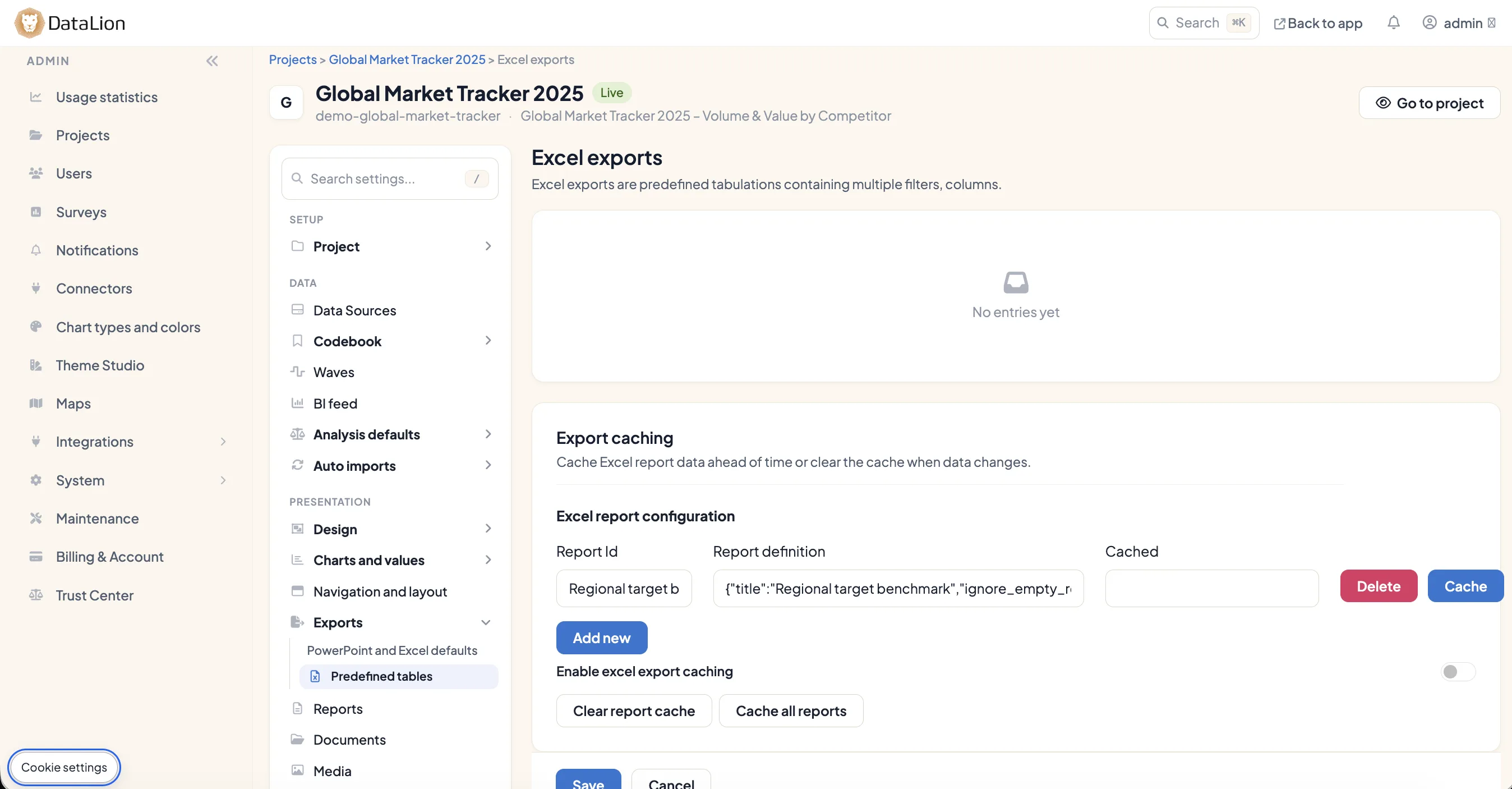
Nested pre-filters, custom column heads
A report book is rarely flat. In DataLion you define nested pre-filters, custom column heads and the bases and case numbers that are reported — exactly as your study requires.
You get tables that are correct by design: the right base, cleanly labeled columns and traceable case numbers — with no after-the-fact fudging in Excel.
- Nested pre-filters for subgroups
- Custom, meaningful column heads
- Reported bases and case numbers per table
Machine-readable — with export caching
The output isn't just for looking at: it is built to be machine-readable, so you can hand tables straight to other systems, scripts or downstream processing.
To keep even large books quick to produce, DataLion uses export caching. Big report books need not be fully recomputed every time. Other formats are one click away: natively editable PowerPoint, PDF, PNG/JPEG and CSV.
- Machine-readable, reusable tables
- Export caching for large report books
- Also as PowerPoint, PDF, PNG/JPEG and CSV
See DataLion with your own data
Start free with your own raw data. Or book a personal demo of the path to a finished dashboard.
What users say about DataLion
- via G2
The embedding function allows us to generate insights of our data for our audience and customers by far less than half of the usual time needed before.
Verified user · Leisure, Travel & Tourism - via G2
User-friendliness, especially for market research topics. Structured backend with many customization options.
Verified user · Market Research - via G2
The contacts at DataLion are very committed. If you have problems, you can count on help. DataLion reacts quickly to requests for new functions.
Robert Q. · Managing Director - via G2
Very professional company, attentive to the customer needs, provider of a great software and service.
Generoso M. · CRM Analyst, Automotive

We now work much more efficiently, giving us more time to take care of the derivations and insights from the data for the customers.
More export features
Guides in the help center
Common questions about Excel report books
How do I define what goes into the report book?
Which metrics can I report per cell?
Can I customize pre-filters, column heads and bases?
Is the Excel output reusable?
Are there export formats besides Excel?
Generate your first report book in Excel
Try DataLion free — or get a demo of how your data becomes a flexible Excel report book with your own KPIs.