
Market-research software compared
The DataLion alternative to Q Research Software
For desk-based tabulation Q is genuinely strong — credit where due. The difference is architectural: DataLion brings the same analysis into the browser, with fieldwork and live dashboards for every stakeholder.
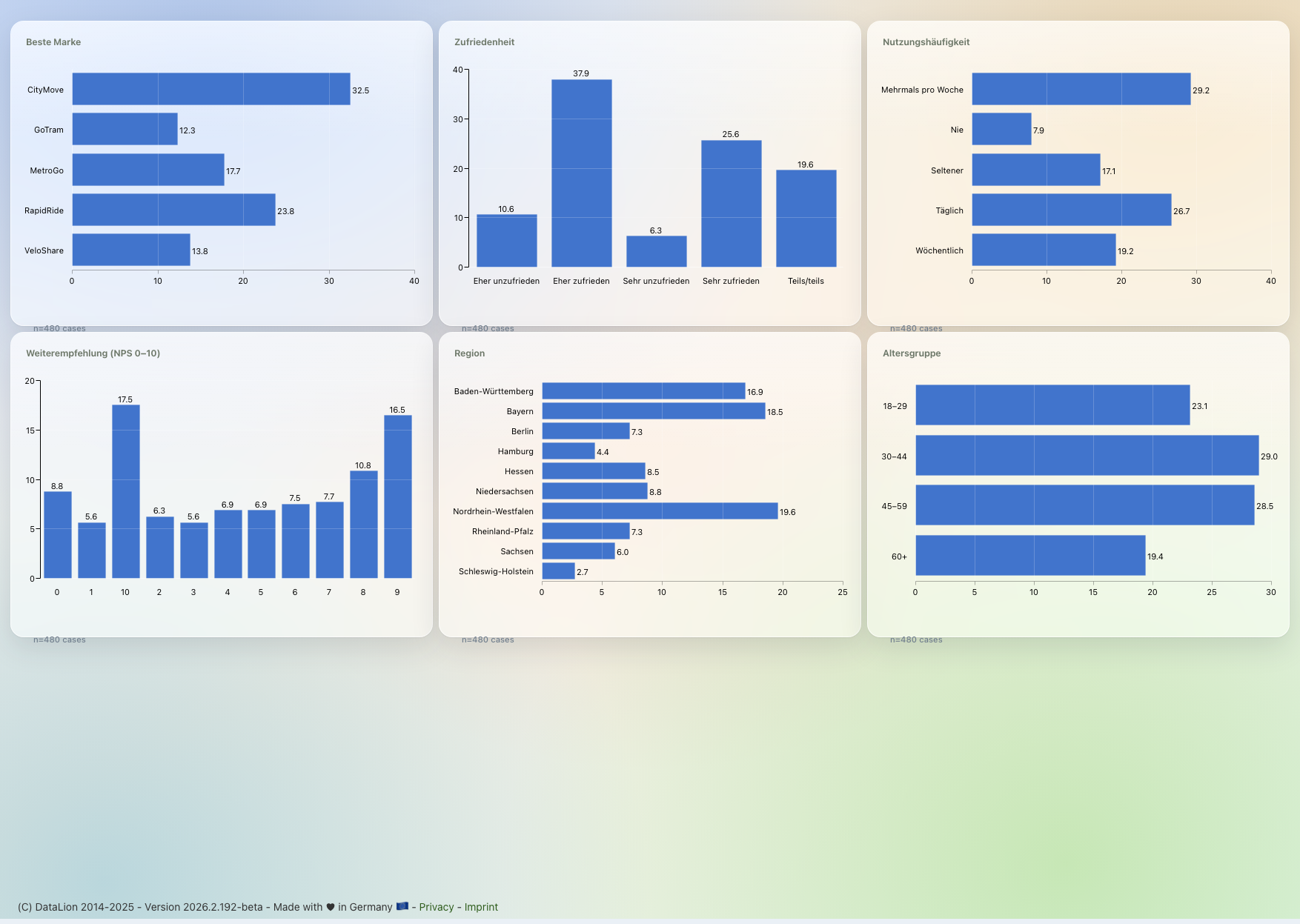
Q Research Software is a Windows desktop app by Displayr for tabulation — strong at crosstabs and significance, but single-seat and with no fieldwork. DataLion brings the same MR core into the browser, adds the survey and live dashboards stakeholders open themselves, and hosts in ISO 27001-certified data centers in Germany.
DataLion vs Q Research Software at a glance
Q is a mature tabulation tool for analysts — so here is an honest look at where Q gives the single seat the most control and where the difference to a web platform actually counts.
| DataLion | Q Research Software | |
|---|---|---|
| Platform | Web platform — in the browser, no install | Windows desktop application, installed locally |
| Survey fieldwork | Built in — a survey creates the project, dataset & codebook | No fieldwork; starts from imported data |
| Tabulation & statistics | Crosstabs, weighting, significance plus regression, ANOVA, driver analysis, factor analysis/PCA & MaxDiff — point-and-click, R-backed | Very strong: drag-and-drop crosstabs, auto-significance, QScript/R for scriptable specialist analysis |
| Stakeholder reporting | Live dashboards in the browser, auto-updating | Static exports (PowerPoint/Excel/Word/PDF) per wave |
| Data location & hosting | ISO 27001 data centers in Germany, DPA, on-premise | Desktop licence (data local); vendor in Sydney/AU |
| Pricing model | Flexible & usage-based | Per licence/year (standard or transferable licence) |
Choose DataLion if …
- You want fieldwork, analysis, dashboards and reports in one web platform — no separate survey tool
- Stakeholders should open results as a live dashboard in the browser, not a static deck per wave
- Hosting in Germany (ISO 27001 data centers), a DPA and optional on-premise are mandatory
- You want natively editable PowerPoint in your own CI, flexible costs and AI via Claude over MCP
Choose Q Research Software if …
- You need fine-grained desk-based tabulation control and scriptable automation (QScript/R)
- You analyse mostly imported data and need no fieldwork of your own
- A single-seat Windows workflow is enough and you are already invested in Q/Displayr
- 🇩🇪 Made in Munich
- GDPR-compliant
- DPA included
- Hosted in Germany
- 🌐 Interface in EN, DE, FR, ES, IT & NL
On crosstabs and significance, Q plays at the top
Be fair: Q is mature at tabulation. On import it scans the file and automatically groups multi-response and grid questions into variable sets that match the survey structure. Crosstabs are built by drag-and-drop (rows from the blue menu, columns from the brown), and you merge, rename or hide rows with the mouse — no syntax required. Every table is significance-tested automatically, either as column comparisons with letters or as cell-level tests.
DataLion covers the same MR core — crosstabs, weighting, significance tests, net/top-box values and 50+ chart types, plus regression, ANOVA, driver analysis and MaxDiff — also point-and-click and R-backed. For pure desk-based tabulation Q gives the analyst very fine-grained control; the decision isn’t made here, but in the architecture around it.
- Q: auto-detects multi-response & grids into variable sets
- Q: drag-and-drop crosstabs, automatic significance (letters or cell-level)
- Q: QScript (JavaScript) and R in Q for scriptable specialist analysis & automation
- DataLion: crosstabs plus regression, driver analysis, factor analysis/PCA & MaxDiff — point-and-click, in the browser
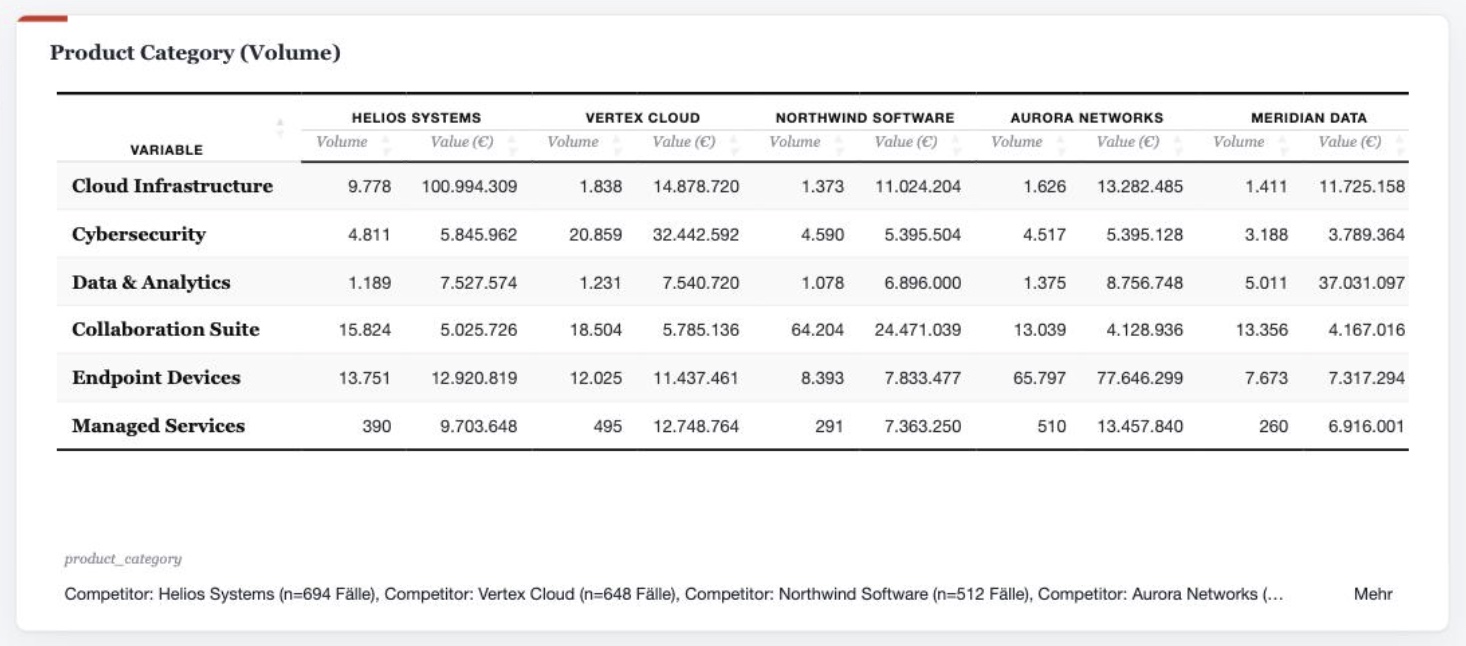
Single-seat desktop vs a web platform with fieldwork
Q is a Windows desktop application and starts from imported data — fieldwork happens beforehand in a separate survey tool. Q imports broadly: SPSS (.sav), Dimensions/Data Collection (.mdd + .ddf), Triple-S, plus Excel and CSV. The work lives in a project file on one machine; you share it by exporting to PowerPoint, Excel, Word or PDF. DataLion includes the survey itself: publishing one auto-creates the project, response dataset and a complete codebook, turning multi-response into 0/1 columns and matrix questions into one column per row — the same clean structure Q has to build at import.
The second break is stakeholder reporting. Q exports static decks you regenerate every wave. DataLion builds auto-updating live dashboards stakeholders simply open in a browser — no Windows, no install, no per-viewer licence. When an editable deck is needed, you get natively editable PowerPoint in your corporate layout that refreshes wave over wave on its own.
- Q imports SPSS (.sav), Dimensions (.mdd/.ddf), Triple-S, Excel & CSV
- DataLion: built-in survey with auto-codebook instead of a separate survey tool
- Live dashboards in the browser for every stakeholder — no Windows install needed
- AI via Claude (MCP) drives projects, imports and reports in plain language
Hosted in Germany, licensed flexibly
Q comes from Displayr (based in Sydney, with offices in Chicago and London) and runs as a desktop licence locally. For European institutes and the public sector, though, where the hosted analysis lives is often decisive: DataLion runs in ISO 27001-certified data centers in Germany, includes a DPA and supports on-premise — with support in your language.
Licensing models differ too: Q is charged per licence, per year (with a separate, pricier transferable-licence option). DataLion uses flexible, usage-based licensing — rather than a fixed desktop licence per analyst.
DataLion vs other MR tools
Common questions about DataLion and Q Research Software
What is the difference between DataLion and Q Research Software?
Is Q the same as Displayr?
Can DataLion do what I use Q for today?
Can I bring my Q or SPSS data into DataLion?
See DataLion next to Q Research Software
Try DataLion for free — or get a demo of how the same tabulation runs in the browser, with fieldwork and live dashboards for every stakeholder.