
AI integration
Connect DataLion to Claude — over MCP
Drive DataLion in plain language: through the Model Context Protocol (MCP) you connect Claude and other AI agents directly to your projects — import data, manage reports, build widgets. Read-only by design.
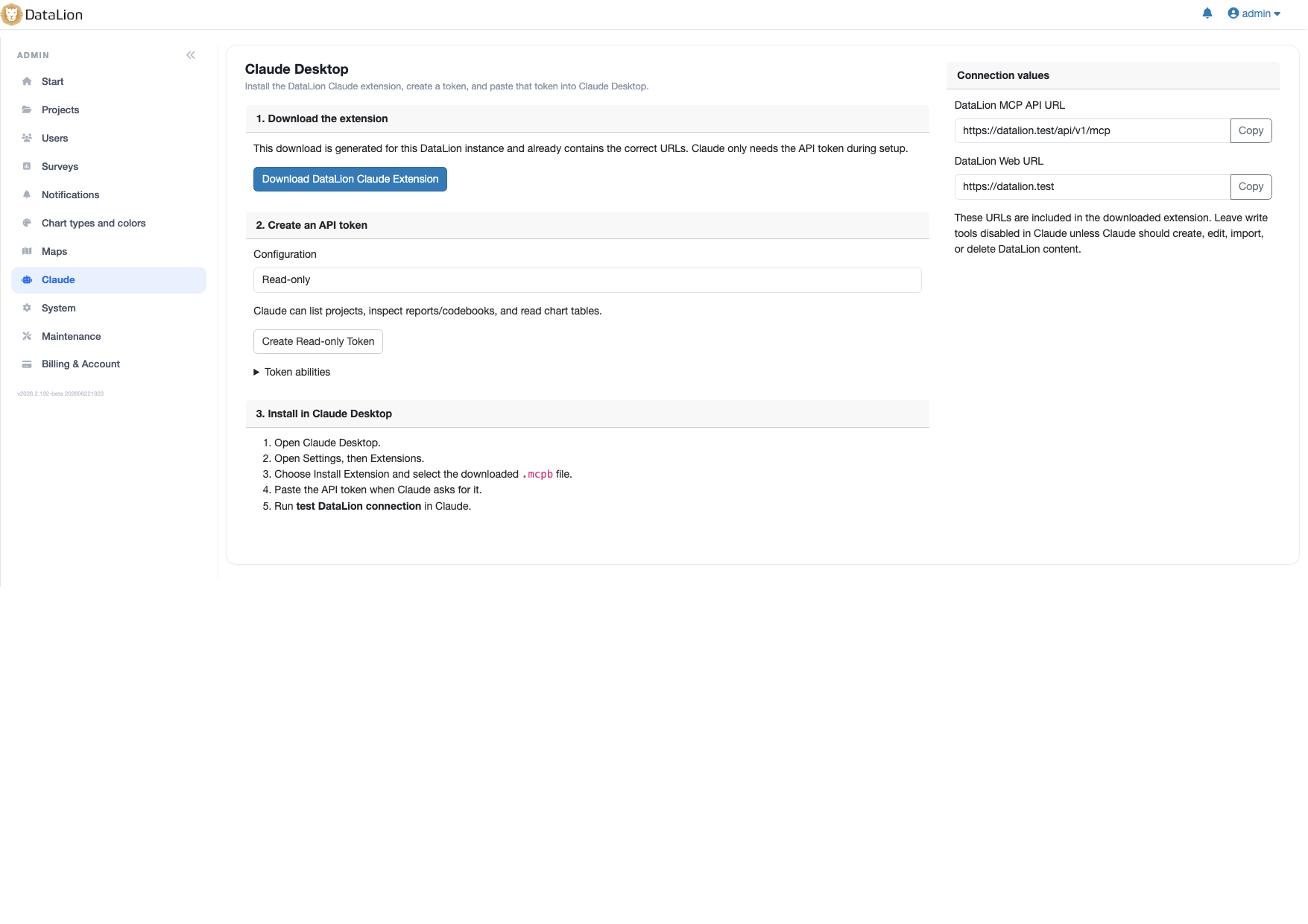
DataLion connects to Claude and any MCP-compatible AI agent through the Model Context Protocol (MCP). In plain language Claude can list, read, create and edit projects, browse data sources, import Excel data, manage reports and codebooks, and add or remove widgets — via a downloadable extension with scoped API tokens.
- 🇩🇪 Made in Munich
- GDPR-compliant
- DPA included
- Hosted in Germany
- 🌐 Interface in EN, DE, FR, ES, IT & NL
Trusted by research institutes, brands & insights teams






- 50+ interactive chart types
- 20+ statistical methods
- SPSS · Excel · CSV import without data loss
- ISO 27001 certified data centers (Germany)
Claude operates DataLion — in words
Through DataLion's MCP integration, Claude operates the software directly — no clicking through menus. You describe your goal and the AI does the work inside your project.
MCP is an open interface: what works here with Claude works in principle with any MCP-compatible AI agent. For how AI speeds up your market research as a whole, see the AI & automation overview page.
- List, read, create and edit projects
- Browse data sources and import Excel data
- Manage reports and codebooks
- Add and remove widgets via AI
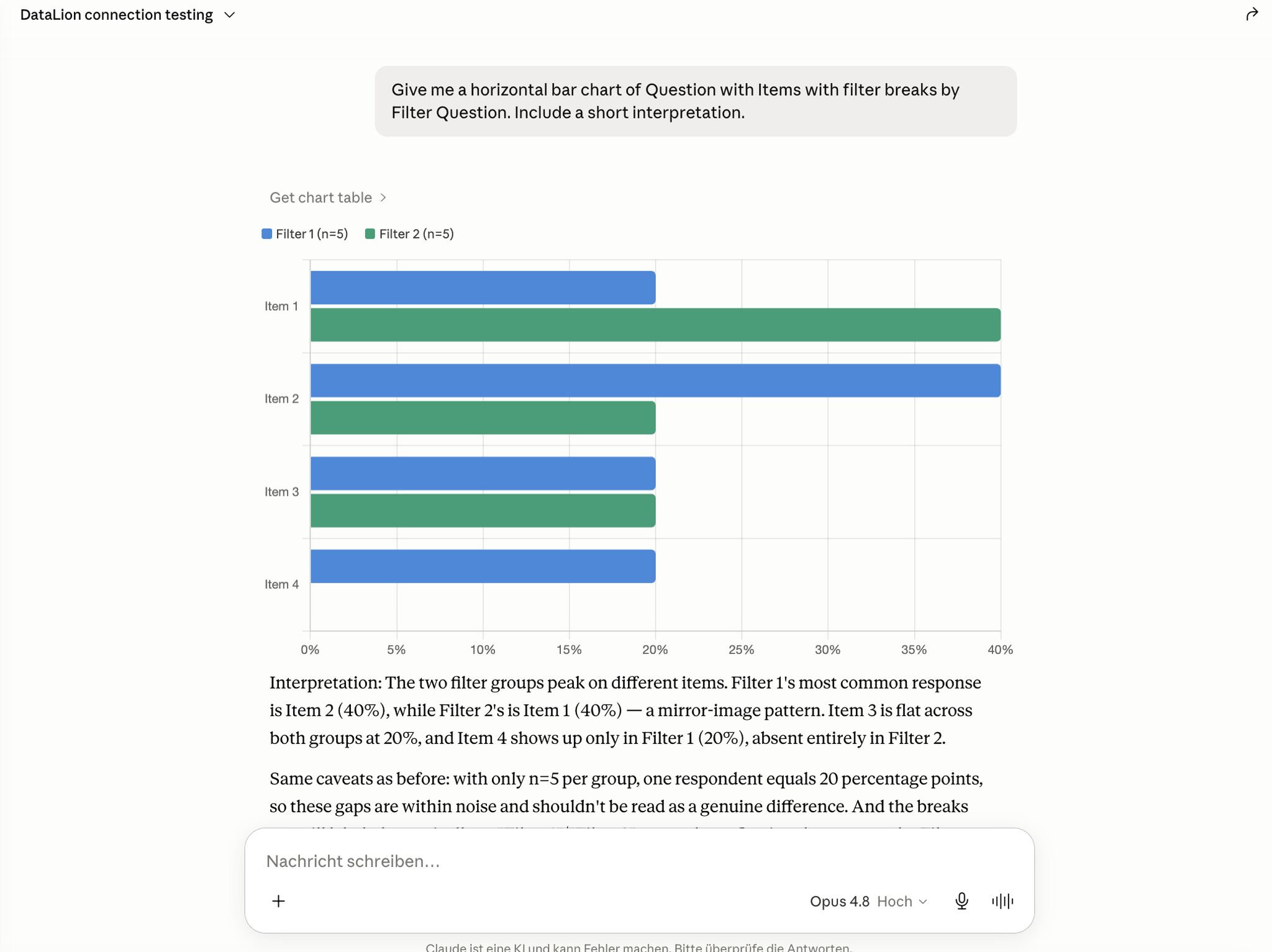
Self-service Claude Desktop extension
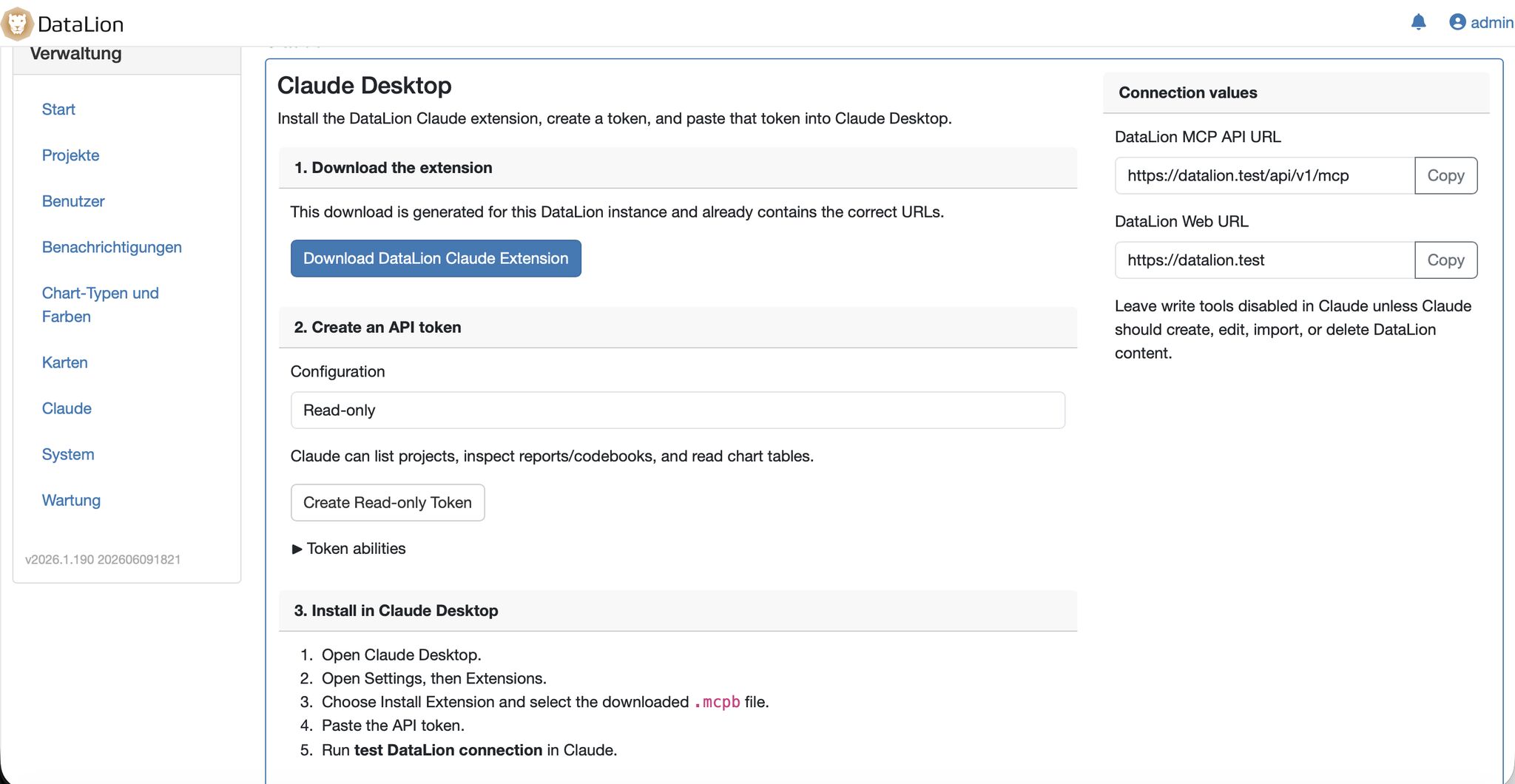
Admins enable a dedicated integration page. There you generate a scoped API token and download a ready-to-install MCP bundle for Claude Desktop — with clear settings for the DataLion URL, write access, SSL and debug logging.
No IT tickets, no manual configuration: create a token, install the extension, test the connection — done.
- Generate a scoped API token per user
- Download a ready-to-install MCP bundle for Claude Desktop
- Settings for URL, write access, SSL and debug logging
Read-only until you allow more
Security here is no afterthought: the local bridge starts read-only. Write tools are gated behind an explicit setting — so the AI can change nothing until you allow it.
A connection test is built in, sensitive data in debug logs is redacted, and API tokens are scoped. Your respondent data stays in ISO 27001-certified data centers in Germany, GDPR-compliant and with a Data Processing Agreement.
- Local bridge read-only by default
- Write access explicitly opt-in
- Built-in connection test, redacted debug logs
- ISO 27001-certified hosting in Germany, GDPR-compliant
See DataLion with your own data
Start free with your own raw data. Or book a personal demo of the path to a finished dashboard.
What users say about DataLion
- via G2
The embedding function allows us to generate insights of our data for our audience and customers by far less than half of the usual time needed before.
Verified user · Leisure, Travel & Tourism - via G2
User-friendliness, especially for market research topics. Structured backend with many customization options.
Verified user · Market Research - via G2
The contacts at DataLion are very committed. If you have problems, you can count on help. DataLion reacts quickly to requests for new functions.
Robert Q. · Managing Director - via G2
Very professional company, attentive to the customer needs, provider of a great software and service.
Generoso M. · CRM Analyst, Automotive

We now work much more efficiently, giving us more time to take care of the derivations and insights from the data for the customers.
AI, API & data model
Common questions about Claude & MCP
How do I connect Claude to DataLion?
What is MCP in DataLion?
What can Claude do in DataLion?
Is the AI connection secure?
Does this only work with Claude?
Connect DataLion to Claude
Try DataLion free and set up the Claude Desktop extension — or get a demo of how AI agents drive your market research over MCP.