
AI questionnaire
A questionnaire by AI — in minutes, not hours
Describe your topic and DataLion builds a complete questionnaire: title, welcome and thank-you texts, and typed questions with balanced scales. Or have a draft optimized by AI — variable codes included.
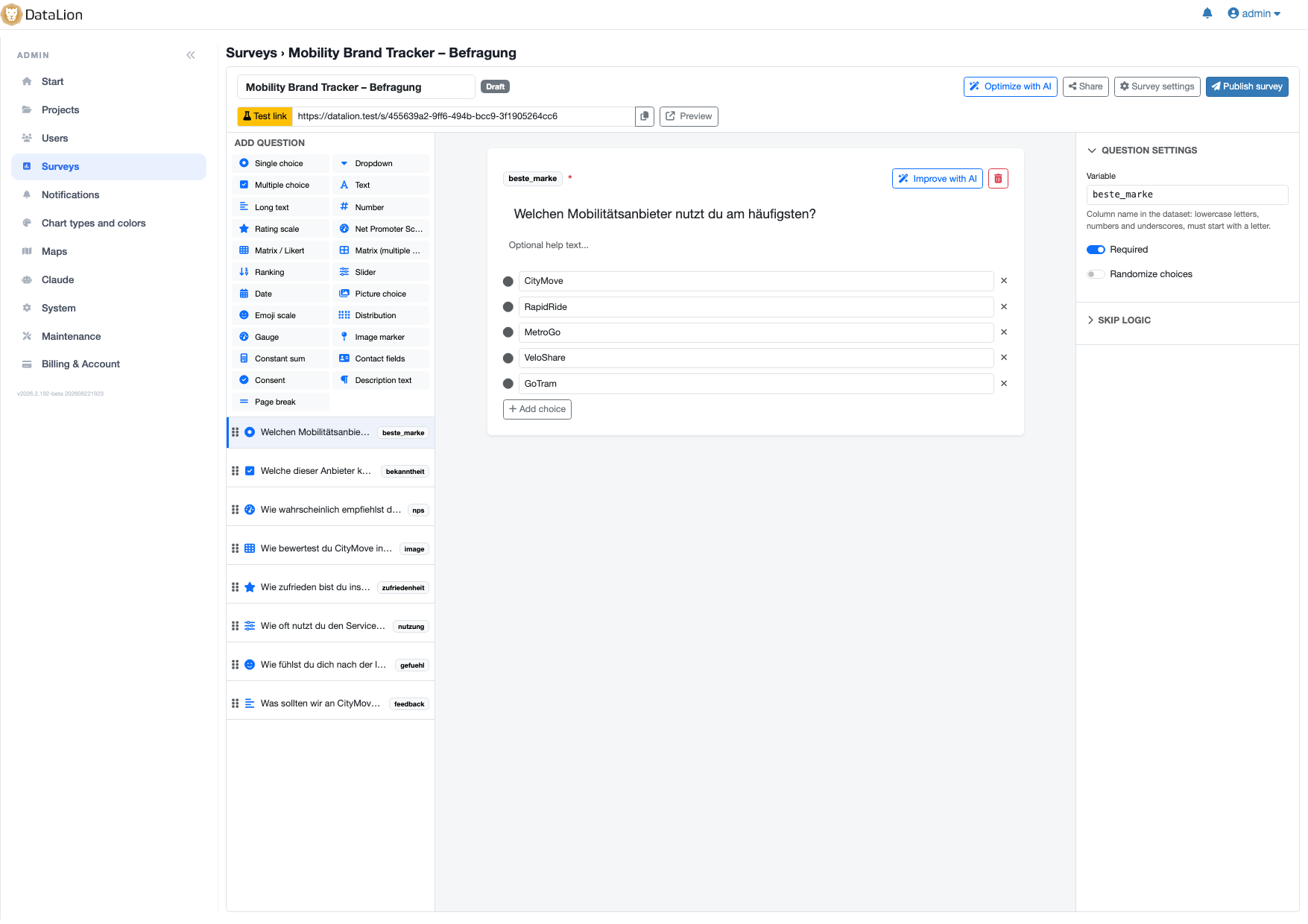
In DataLion, "Create survey with AI" turns a topic description into a complete questionnaire — with title, welcome and thank-you texts, and typed questions with balanced scales and pages. "Optimize with AI" revises the wording, answer options and structure of a draft while preserving your variable codes.
- 🇩🇪 Made in Munich
- GDPR-compliant
- DPA included
- Hosted in Germany
- 🌐 Interface in EN, DE, FR, ES, IT & NL
Trusted by research institutes, brands & insights teams






- 50+ interactive chart types
- 20+ statistical methods
- SPSS · Excel · CSV import without data loss
- ISO 27001 certified data centers (Germany)
Create a survey with AI
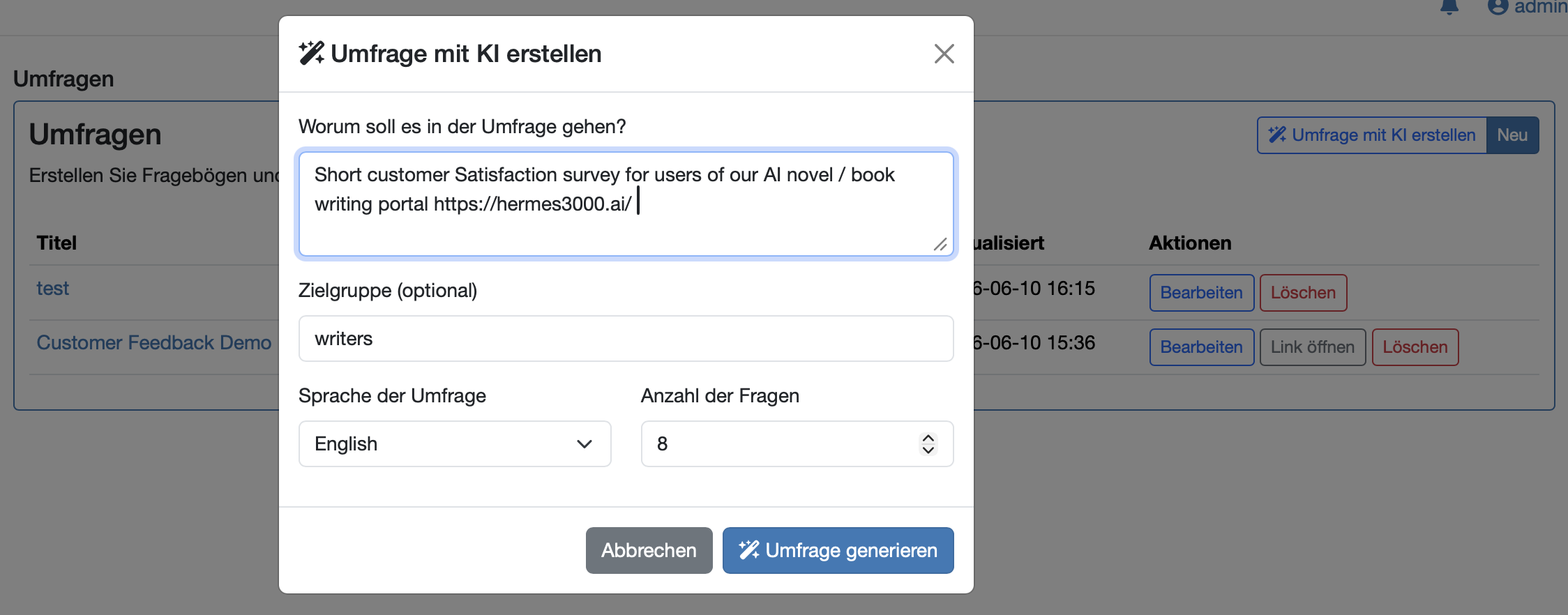
You enter a topic description — the AI builds a complete questionnaire from it: title, welcome and thank-you texts and typed questions with balanced scales and sensible pages.
Instead of staring at an empty editor, you start with a considered draft that only needs fine-tuning — including the right question type for each question.
- Topic description as the starting point
- AI generates the title plus welcome and thank-you texts
- Typed questions with balanced scales
- Sensible page layout from the start
Optimize with AI — variable codes stay
Already have a draft? "Optimize with AI" revises wording, answer options and structure — for clearer, more neutral questions and more complete scales.
Crucially, the optimization preserves your variable codes. Your resulting dataset stays compatible — ideal when a running tracker only needs a linguistic polish, without losing comparability across waves.
- Revision of wording, options and structure
- Clearer, more neutral questions and more complete scales
- Variable codes preserved — dataset stays compatible
- Ideal for polishing the language of running trackers
From AI draft to live dashboard
The AI draft is a full DataLion questionnaire: you add skip and display logic, design it and publish. On publish, the dataset, codebook and live dashboard are created automatically.
More on our AI-powered market research page and the survey-to-dashboard feature.
See DataLion with your own data
Start free with your own raw data. Or book a personal demo of the path to a finished dashboard.
What users say about DataLion
- via G2
The embedding function allows us to generate insights of our data for our audience and customers by far less than half of the usual time needed before.
Verified user · Leisure, Travel & Tourism - via G2
User-friendliness, especially for market research topics. Structured backend with many customization options.
Verified user · Market Research - via G2
The contacts at DataLion are very committed. If you have problems, you can count on help. DataLion reacts quickly to requests for new functions.
Robert Q. · Managing Director - via G2
Very professional company, attentive to the customer needs, provider of a great software and service.
Generoso M. · CRM Analyst, Automotive

We now work much more efficiently, giving us more time to take care of the derivations and insights from the data for the customers.
More survey features
Guides in the help center
Common questions about the AI questionnaire
Can I have a complete questionnaire created by AI?
What exactly does "Optimize with AI" do?
Are my variable codes preserved during AI optimization?
Does the AI also pick the right question types?
Can I still edit the AI draft afterwards?
Let AI write your first questionnaire
Try DataLion free: describe a topic, generate the questionnaire and keep working right away. Or book a personal demo.