
Platform & security
Row-level access — each audience sees only its own rows
Use data-level access profiles to apply preset filters over your data: every client, team and region sees only its own segment in the same dashboard. That lets you deliver multi-tenant from a single project.
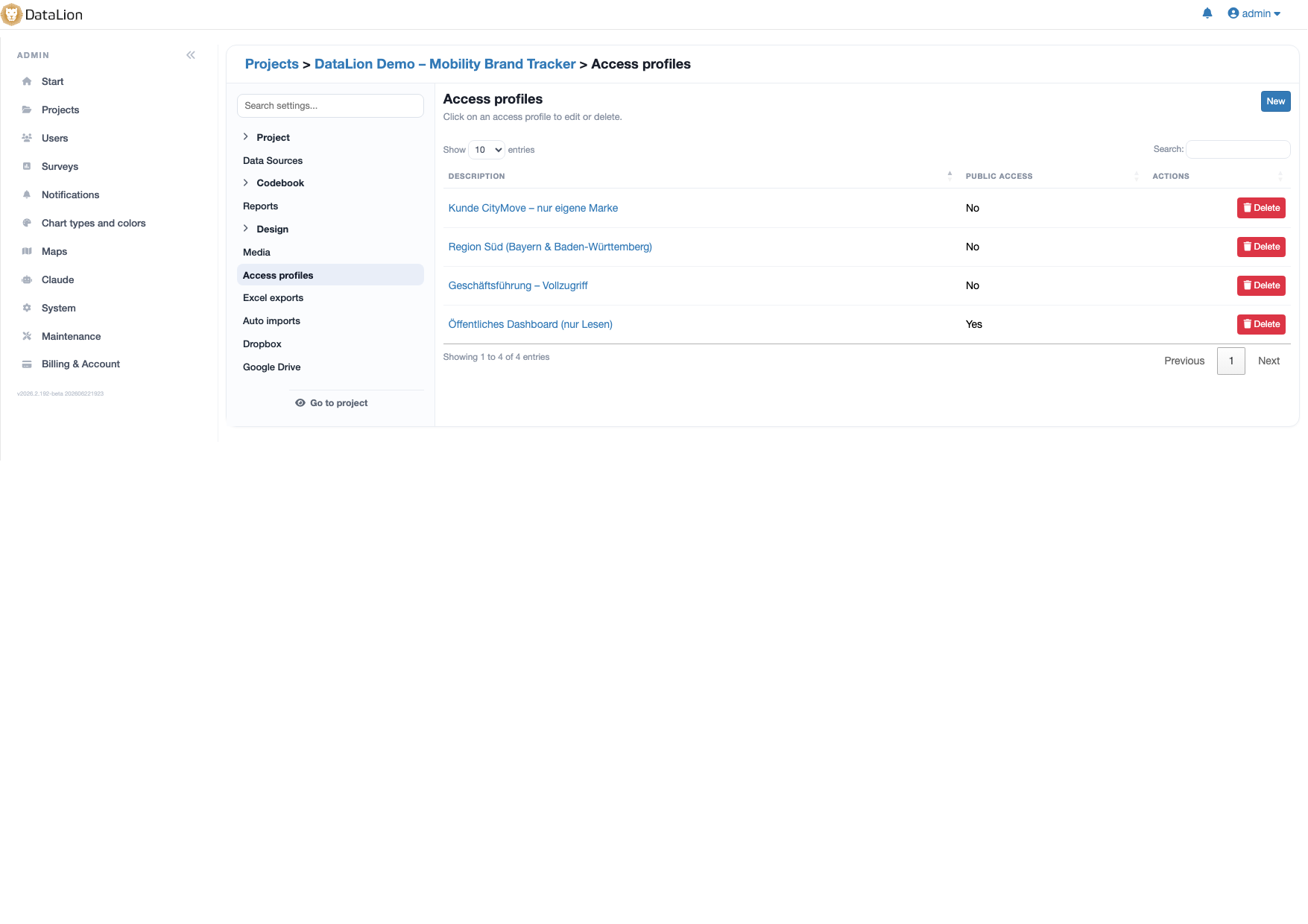
Access profiles in DataLion apply preset filters over your data, restricting which data rows a user or group can see (row-level / data-level security). One shared dashboard, but each client, team and region logs in and sees only its own segment. This lets you deliver to many tenants from a single project.
- 🇩🇪 Made in Munich
- GDPR-compliant
- DPA included
- Hosted in Germany
- 🌐 Interface in EN, DE, FR, ES, IT & NL
Trusted by research institutes, brands & insights teams






- 50+ interactive chart types
- 20+ statistical methods
- SPSS · Excel · CSV import without data loss
- ISO 27001 certified data centers (Germany)
One dashboard per client? That does not scale.
- Maintaining a separate copy of the dashboard for every client costs time and creates version chaos.
- Splitting datasets after the fact or exporting per client is error-prone — and a data-protection risk.
- If a stakeholder sees more rows than allowed, trust is quickly lost.
- Roles alone are not enough: they govern what someone may do, not which data is visible in the first place.
Preset filters at the data level
An access profile stores a preset filter that applies on every login and automatically restricts the visible data. Instead of governing which buttons someone clicks, you govern which data rows are loaded at all — row-level (data-level) security.
The underlying data and the dashboards stay identical. The only thing that changes is the slice: a region sees only its region, a client only its brand, a team only its markets.
- Preset filter per user or group
- Limits the visible data rows, not just the actions
- Same data, same dashboards — just a different slice
- Filter by client, region, brand, wave or any codebook variable
Deliver multi-tenant from a single dashboard
Because the filtering happens at the data level, you deliver to many clients from a single project. Each client gets its own access profile and logs in to the same dashboard — but sees only its own segment.
This is the classic agency and institute scenario: one tracker, one thing to maintain, any number of tenants. New waves update every view at once, with no per-client copy to touch.
- One project serves any number of clients (release 2026.1)
- Clean separation of data per tenant
- Maintain one thing instead of a copy per client
- Ideal for agencies, institutes and multi-client trackers
QR access to exactly one report
Sometimes one person should see a single report, with no account and no standing access: a works council meeting, a customer site visit, a trade-show stand.
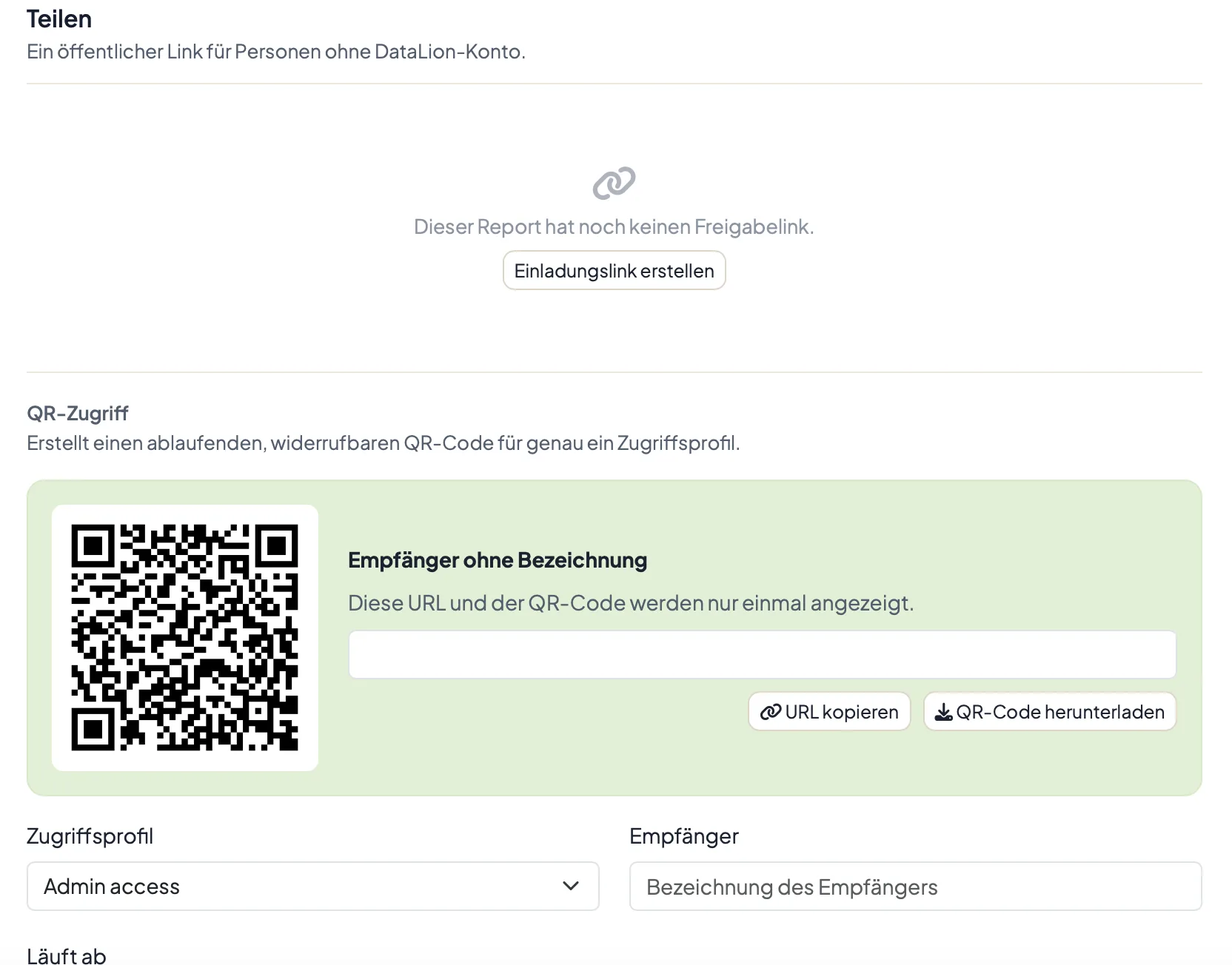
For that the report editor produces a QR code that opens exactly one report through an existing access profile. The code expires and can be extended or revoked at any time.
The part that matters for data control: the profile’s filters and category restrictions still apply, inside the report and in any export a guest pulls from it.
- One QR code, one report, one access profile
- An expiry date, extendable and revocable
- Profile filters apply to guests too
- Category restrictions hold in guest exports
Control visible features — cleanly separated from roles
An access profile defines not only the data filter but also which features are available. So you give external clients a lean, read-only view while internal teams keep the full depth.
Data filters and roles & permissions work together: the role decides what someone may do (view, edit, manage), the access profile decides which data is visible while they do it. Both run securely hosted in ISO 27001-certified data centers in Germany — GDPR-compliant, with a DPA and optional on-premise.
- Profiles toggle available features per group
- Lean read-only views for external clients
- Role = what someone may do, profile = which data is visible
- ISO 27001-certified hosting in Germany, GDPR, DPA, on-premise available
See DataLion with your own data
Start free with your own raw data. Or book a personal demo of the path to a finished dashboard.
What users say about DataLion
- via G2
The embedding function allows us to generate insights of our data for our audience and customers by far less than half of the usual time needed before.
Verified user · Leisure, Travel & Tourism - via G2
User-friendliness, especially for market research topics. Structured backend with many customization options.
Verified user · Market Research - via G2
The contacts at DataLion are very committed. If you have problems, you can count on help. DataLion reacts quickly to requests for new functions.
Robert Q. · Managing Director - via G2
Very professional company, attentive to the customer needs, provider of a great software and service.
Generoso M. · CRM Analyst, Automotive

We now work much more efficiently, giving us more time to take care of the derivations and insights from the data for the customers.
More platform features
Guides in the help center
Common questions about row-level access
What is an access profile in DataLion?
How do access profiles differ from roles & permissions?
How does a client see only its own data?
Can I serve several clients from one project?
Is the data stored securely?
Deliver one dashboard to many clients
Try DataLion free and set up access profiles so everyone sees only their own rows — or get a demo of a multi-tenant delivery.