
Webinar Feedback
After your webinar, learn how well content, delivery, technology and interaction landed – and how likely attendees are to recommend it.
The live demo opens the real questionnaire — no signup required.
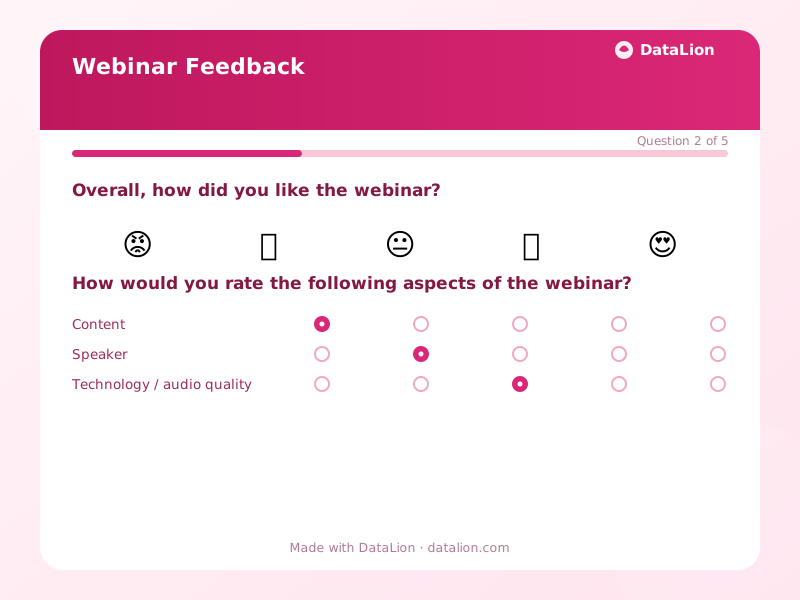
This template captures the overall impression through an emoji scale and rates the key dimensions of a webinar via a matrix: content, speaker, technology and interaction. You also ask about technical issues, recommendation through NPS and open feedback – ideal for recurring online formats.
When should you use this template?
This template is a great fit for:
- Right after a webinar or online session
- After product demos and online training
- For recurring webinar series to ensure quality
Every question in this template
- 1Emoji scale
Overall, how did you like the webinar? *
- 😡Very bad
- 🙁Bad
- 😐Neutral
- 🙂Good
- 😍Very good
- 2Matrix
How would you rate the following aspects of the webinar?
Very poor Poor Average Good Very good Content Speaker Technology / audio quality Interaction - 3Single choice
Did you experience any technical issues during the webinar?
- None
- Minor
- Significant
- 4NPS (0–10)
How likely are you to recommend this webinar? *
- 5Long text
What should we do differently in the next webinar?
Related survey templates
- Event RegistrationCollect registrations for conferences, workshops or company events including ticket choice, session selection and catering preferences – GDPR-compliant.
- Event Feedback (post-event)Collect structured feedback on content, organisation and recommendation after conferences, workshops or company events.
- Trade Show Lead CaptureCapture qualified leads at your trade show booth quickly and GDPR-compliant, including interest, purchase timeline and preferred follow-up.
- Speaker RatingRate speakers and sessions along clear dimensions such as expertise, delivery style and practical relevance – ideal for conferences and training.
Frequently asked questions
Does the template suit any webinar platform?
How does the technical issues question help me?
Start with this template
Load the template into DataLion, adapt it to your brand and start collecting responses — GDPR-compliant, in minutes.