
After-Sales Service Feedback (CSI)
The short customer survey after every workshop or service visit: overall impression, seven service aspects, fixed on the first visit, invoice, recommendation and callback request – continuously per outlet and region.
The live demo opens the real questionnaire — no signup required.
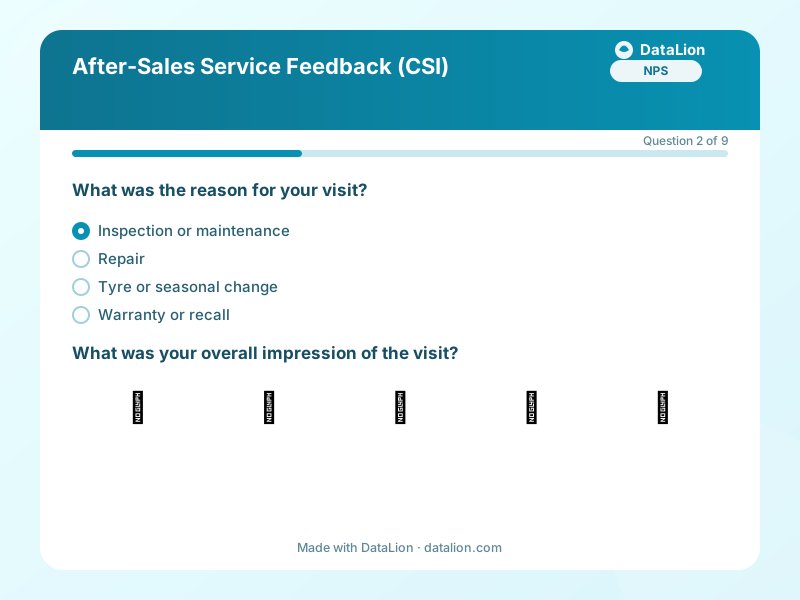
The workshop visit is the moment a customer really experiences the brand, and the moment dealer networks lose most often. This template is the continuous measurement for it: short enough for the trip home from the service outlet, with the seven aspects that carry the Customer Satisfaction Index and the two questions that explain most in a network comparison: was the issue fixed on the first visit, and did the invoice match the estimate? The link goes on the invoice as a QR code or out as an invitation from the fieldwork module; a URL parameter per outlet turns the location into an analysis dimension. The callback request at the end is deliberately optional, so the survey stays anonymous as long as the customer wants.
When should you use this template?
This template is a great fit for:
- As a continuous survey with a QR code on the invoice or service booklet
- As an invitation one or two days after the appointment from the outlet's contact list
- As a network comparison for manufacturers and importers, with one parameter per outlet
- As an early-warning system for outlets whose fixed-first-time rate is falling
Every question in this template
- 1Single choice
What was the reason for your visit? *
- Inspection or maintenance
- Repair
- Tyre or seasonal change
- Warranty or recall
- Accident repair
- 2Emoji scale
What was your overall impression of the visit? *
- 😡Very poor
- 🙁Poor
- 😐Okay
- 🙂Good
- 😍Excellent
- 3Matrix
How would you rate the following?
Very poor Poor Okay Good Very good Booking the appointment Friendliness of the service advisor Explanation of work and costs Keeping the promised time Quality of the work carried out - 4Single choice
Was your issue fully resolved on the first visit? *
- Yes
- No, a follow-up appointment is needed
- I do not know yet
- 5Single choice
Did the invoice match the estimate?
- Yes
- It was higher, and I was told beforehand
- It was higher, without warning
- There was no estimate
- 6NPS (0–10)
How likely are you to recommend our workshop? *
- 7Long text
What could we have done better?
- 8Consent
I would like the service outlet to contact me about my issue and agree that my contact details are stored for this purpose.
- 9Contact details
Your contact details for the callback (optional)
- Name
- Phone
From questionnaire to dashboard
The questionnaire produces the continuous service monitor:
- CSI and fixed-first-time rate over time: Both metrics as a weekly or monthly line per outlet. A drop shows up before it reaches the revenue figures.
- Outlets compared: Seven service aspects against every outlet in the region as a heatmap, with significance markers where the difference holds.
- Workshop NPS: The Net Promoter Score with promoters, passives and detractors, filterable by reason for the visit.
Go deeper
Related survey templates
- Restaurant Guest FeedbackShort, anonymous feedback on food, service and ambience – via QR code on the table, the bill or the menu.
- System Usability Scale (SUS)The standard usability questionnaire: 10 statements, one score from 0 to 100 – comparable with thousands of studies. Includes the established German translation.
- Beta Test FeedbackStructured feedback from beta testers: usage depth, stability, missing features and the disappointment question as an early product-market-fit indicator.
- Campsite Guest Survey (post-stay)After departure, collect feedback on pitches, sanitary facilities, team and activities – via QR code at reception, at the barrier or in your departure email.
Frequently asked questions
How does the outlet reach a customer who wants a callback?
Can we show outlets their results without giving them the raw data?
Start with this template
Load the template into DataLion, adapt it to your brand and start collecting responses — GDPR-compliant, in minutes.