
AI Chatbot Feedback
Short post-chat survey: satisfaction, resolution rate, effort and whether customers would choose the bot again next time.
The live demo opens the real questionnaire — no signup required.
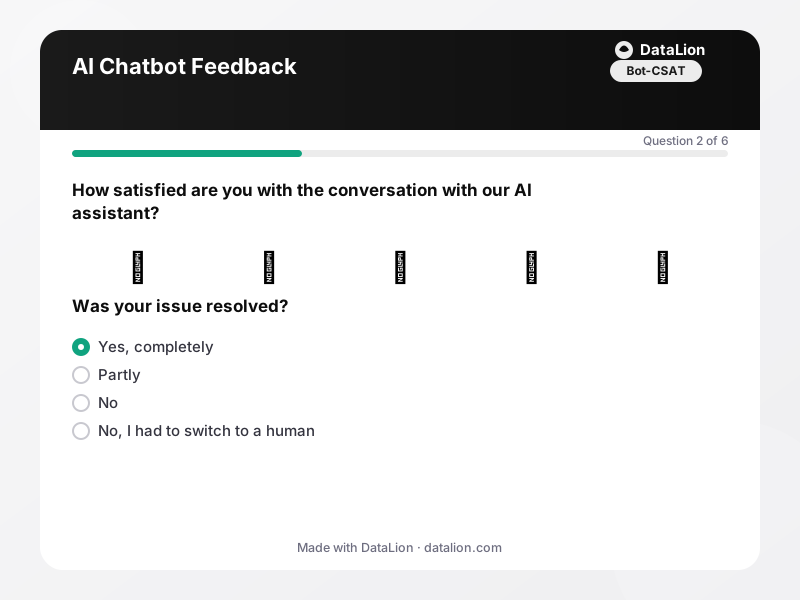
Almost every company now runs an AI chatbot in customer service – but few measure systematically how good it really is. This short survey is shown right after the chat (via link, QR code or redirect) and captures the four metrics that matter: satisfaction with the conversation (bot CSAT), resolution rate, perceived effort and the crucial question of whether customers would choose the bot again next time or prefer a human. A quality matrix additionally shows where it falls short: understanding, correctness, speed or tone.
When should you use this template?
This template is a great fit for:
- Right after every bot conversation as a standard follow-up
- When launching or switching the model behind an AI assistant (before/after comparison)
- To decide which requests the bot keeps and which escalate to humans
Every question in this template
- 1Emoji scale
How satisfied are you with the conversation with our AI assistant? *
- 😡Very dissatisfied
- 🙁Dissatisfied
- 😐Neutral
- 🙂Satisfied
- 😍Very satisfied
- 2Single choice
Was your issue resolved? *
- Yes, completely
- Partly
- No
- No, I had to switch to a human
- 3Rating
How easy was it to reach your goal with the assistant?
- 4Matrix
How did the assistant do in detail?
Strongly disagree Disagree Neutral Agree Strongly agree It understood my request. Its answers were factually correct. It responded quickly. The tone was pleasant. - 5Single choice
What would you prefer for a similar issue next time?
- The AI assistant again
- The assistant first, a human if needed
- A human agent right away
- Depends on the issue
- 6Long text
What should our assistant learn?
From questionnaire to dashboard
In the dashboard, individual chat ratings become a steering cockpit for your AI assistant:
- Bot CSAT figure: The emoji rating as a KPI tile – your headline quality metric, trackable week by week.
- Resolution funnel: From conversation via “partly resolved” to “fully resolved”: the funnel shows how many requests the bot truly closes – your deflection rate.
- Quality profile: The quality matrix (understanding, correctness, speed, tone) as diverging bars shows which aspect to improve first.
- Effort over time: The mean effort score as a line across weeks – ideal for objectively evaluating model or prompt changes to the bot.
- Bot-vs-human preference: Would customers choose the bot again? The donut is your most honest acceptance indicator.
- Learning topics from open answers: “What should the assistant learn?” – clustered via AI topic analysis, this becomes the training backlog for your bot team.
Related survey templates
- Restaurant Guest FeedbackShort, anonymous feedback on food, service and ambience – via QR code on the table, the bill or the menu.
- System Usability Scale (SUS)The standard usability questionnaire: 10 statements, one score from 0 to 100 – comparable with thousands of studies. Includes the established German translation.
- Beta Test FeedbackStructured feedback from beta testers: usage depth, stability, missing features and the disappointment question as an early product-market-fit indicator.
- Campsite Guest Survey (post-stay)After departure, collect feedback on pitches, sanitary facilities, team and activities – via QR code at reception, at the barrier or in your departure email.
Frequently asked questions
How do we trigger the survey after the chat?
What is a good resolution rate for an AI chatbot?
Can we combine this with our service CSAT?
Start with this template
Load the template into DataLion, adapt it to your brand and start collecting responses — GDPR-compliant, in minutes.