
In-Product Microsurvey (CES, PMF, NPS)
The short survey inside the product: Customer Effort Score after a task, the product-market-fit question, NPS, the open question about the biggest gap and the role – for product teams that measure continuously instead of once a year.
The live demo opens the real questionnaire — no signup required.
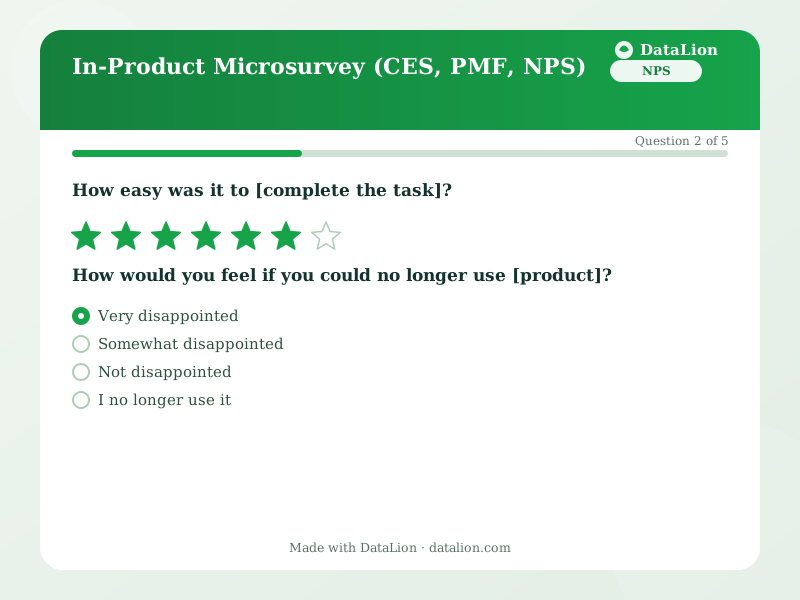
The annual customer survey tells product teams what the product was like a year ago. The microsurvey inside the product tells them what it was like yesterday. This template bundles the three metrics that can be collected in a minute: the Customer Effort Score right after a task, the Sean Ellis product-market-fit question ("How disappointed would you be if the product no longer existed?") and the NPS. Plus the open question that explains all three. Plan, role and feature come along as URL parameters from your app, not as questions; that keeps the survey short while still allowing analysis by segment. The time series builds itself, because every response carries a timestamp.
When should you use this template?
This template is a great fit for:
- As an embed after completing a key task (export, publish, first setup)
- As a link in the onboarding email after 14 days
- Before a pricing or packaging change, filtered to the affected plan
- As a continuous measurement with a weekly or monthly line in the product dashboard
Every question in this template
- 1Rating
How easy was it to [complete the task]? *
Replace [complete the task] with the specific action after which the survey appears, for example "export the report".
- 2Single choice
How would you feel if you could no longer use [product]? *
- Very disappointed
- Somewhat disappointed
- Not disappointed
- I no longer use it
- 3NPS (0–10)
How likely are you to recommend [product] to a colleague? *
- 4Long text
What do you miss most?
- 5Single choice
Which role describes you best?
- Business user
- Administrator
- Manager
- Developer or IT
- Other
From questionnaire to dashboard
The microsurvey produces the continuous product dashboard:
- CES, PMF and NPS as a weekly line: Three metrics over time, filterable by feature and plan. A release that worsens the effort score shows up that week, not in the annual report.
- PMF per role and plan: The share of "very disappointed" as a crosstab: for which segment the product is indispensable, for which it is replaceable.
- What is missing, by topic: The AI-coded open question as a ranking per plan. The list on the table in the roadmap meeting.
Go deeper
Related survey templates
- Restaurant Guest FeedbackShort, anonymous feedback on food, service and ambience – via QR code on the table, the bill or the menu.
- System Usability Scale (SUS)The standard usability questionnaire: 10 statements, one score from 0 to 100 – comparable with thousands of studies. Includes the established German translation.
- Beta Test FeedbackStructured feedback from beta testers: usage depth, stability, missing features and the disappointment question as an early product-market-fit indicator.
- Campsite Guest Survey (post-stay)After departure, collect feedback on pitches, sanitary facilities, team and activities – via QR code at reception, at the barrier or in your departure email.
Frequently asked questions
How do we get plan, role and feature into the analysis without asking?
How do we analyse the product-market-fit question?
Can we sort the open answers by topic automatically?
Start with this template
Load the template into DataLion, adapt it to your brand and start collecting responses — GDPR-compliant, in minutes.