
🚀 Highlights
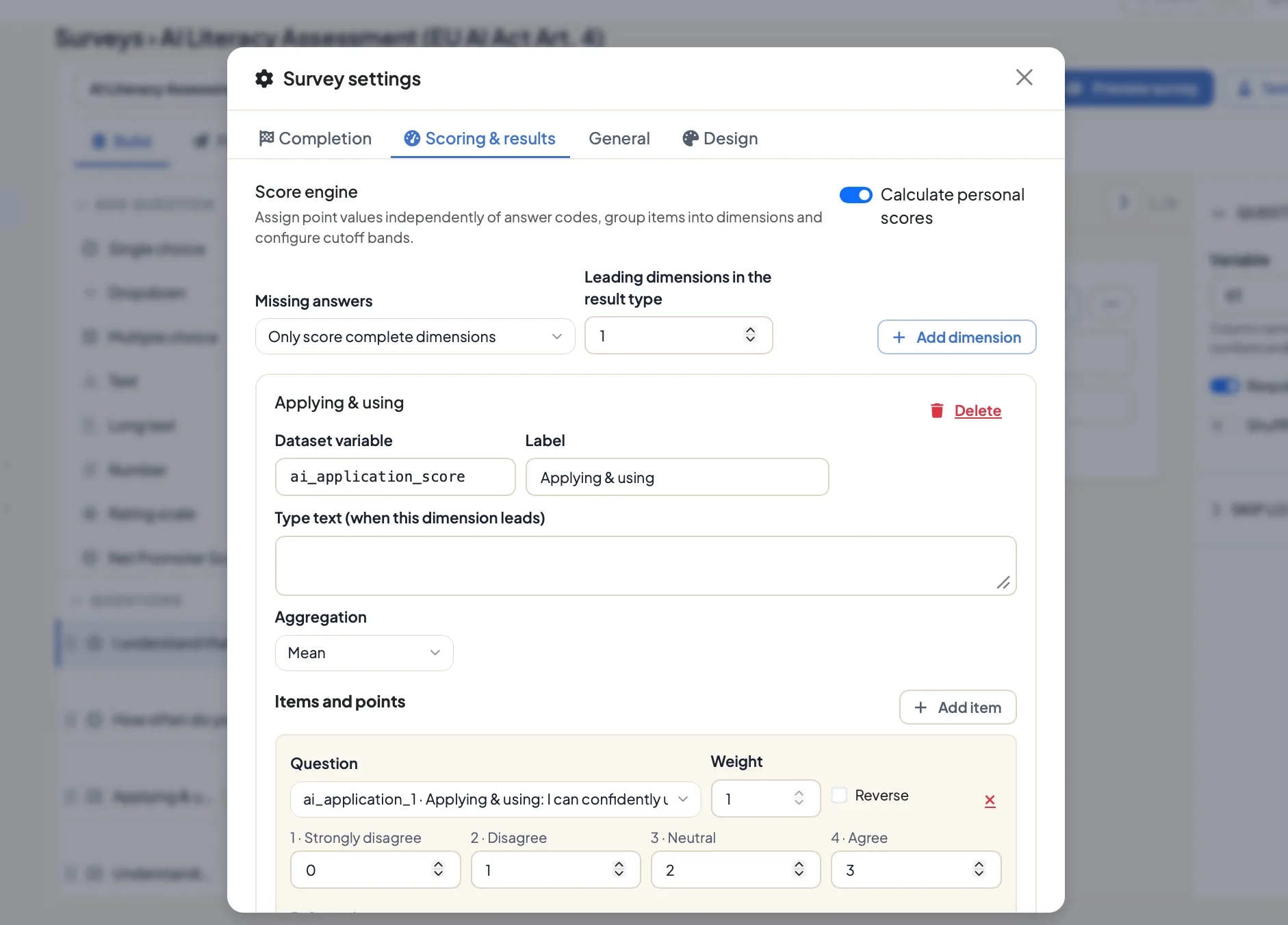
A survey can return a personal result the moment it is submitted: Until now that took SQL, a separate calculation step, and a report assembled somewhere else. The new scoring editor covers answer points, reverse-scored items, dimensions, missing-value rules, weighted totals, cutoff bands, and typology profiles inside the survey itself. Scores then belong to the analysis dataset. Respondents get a signed result page and an archived A4 PDF, while practitioners and coaches each get their own interpretation. 18 assessment templates are ready to run.
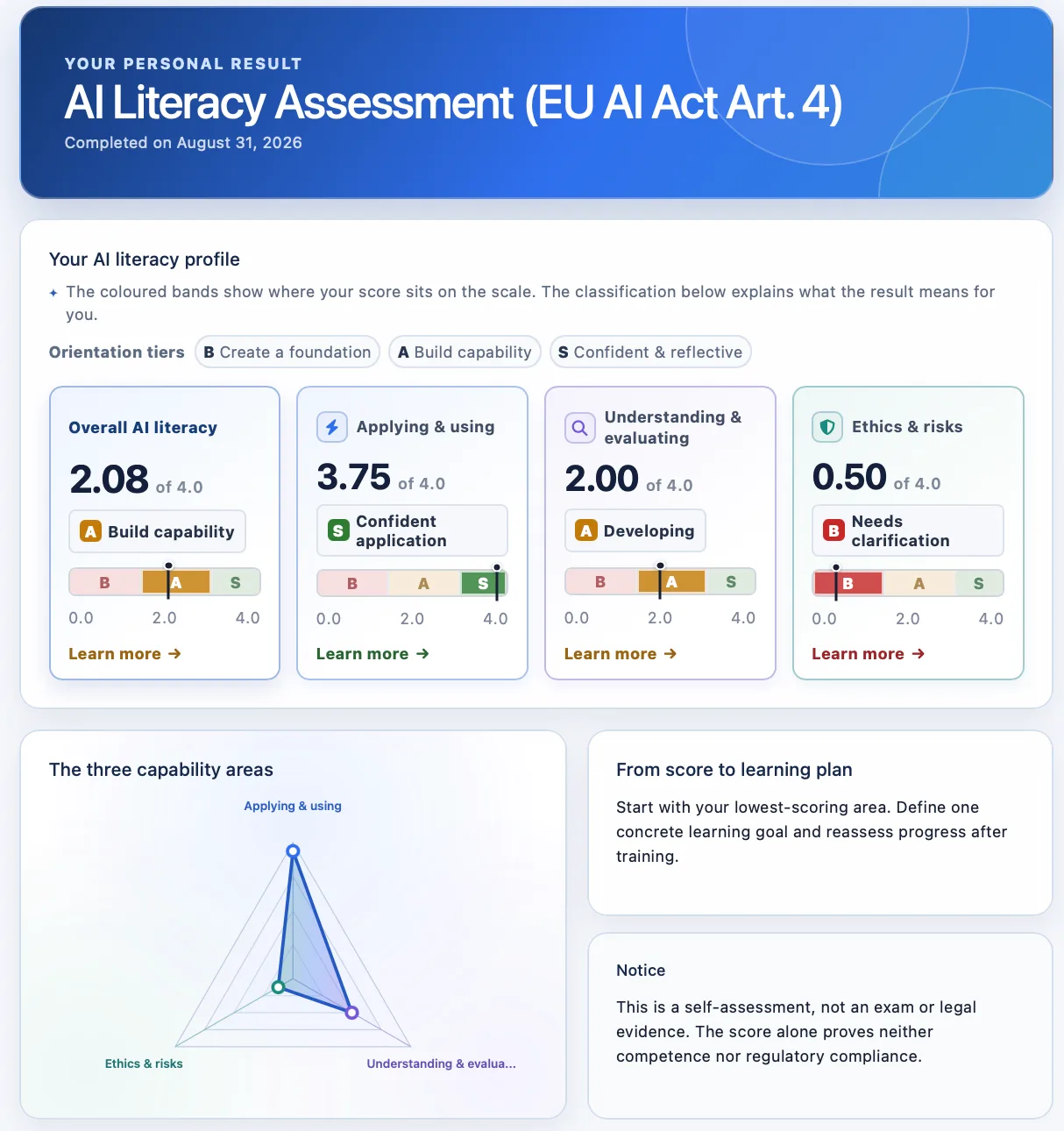
Fieldwork lives in one place: Contact lists, quotas, duplicate controls, panel redirects, scheduled invitations, reminders, opt-outs, and delivery status are under Admin → Surveys → Fieldwork. The same survey carries its own logo and completion page, sends branded invitations, handles explicit no-answer choices correctly, and delivers the personal result at the end. Localized invitations can be previewed and test-sent before a campaign starts.
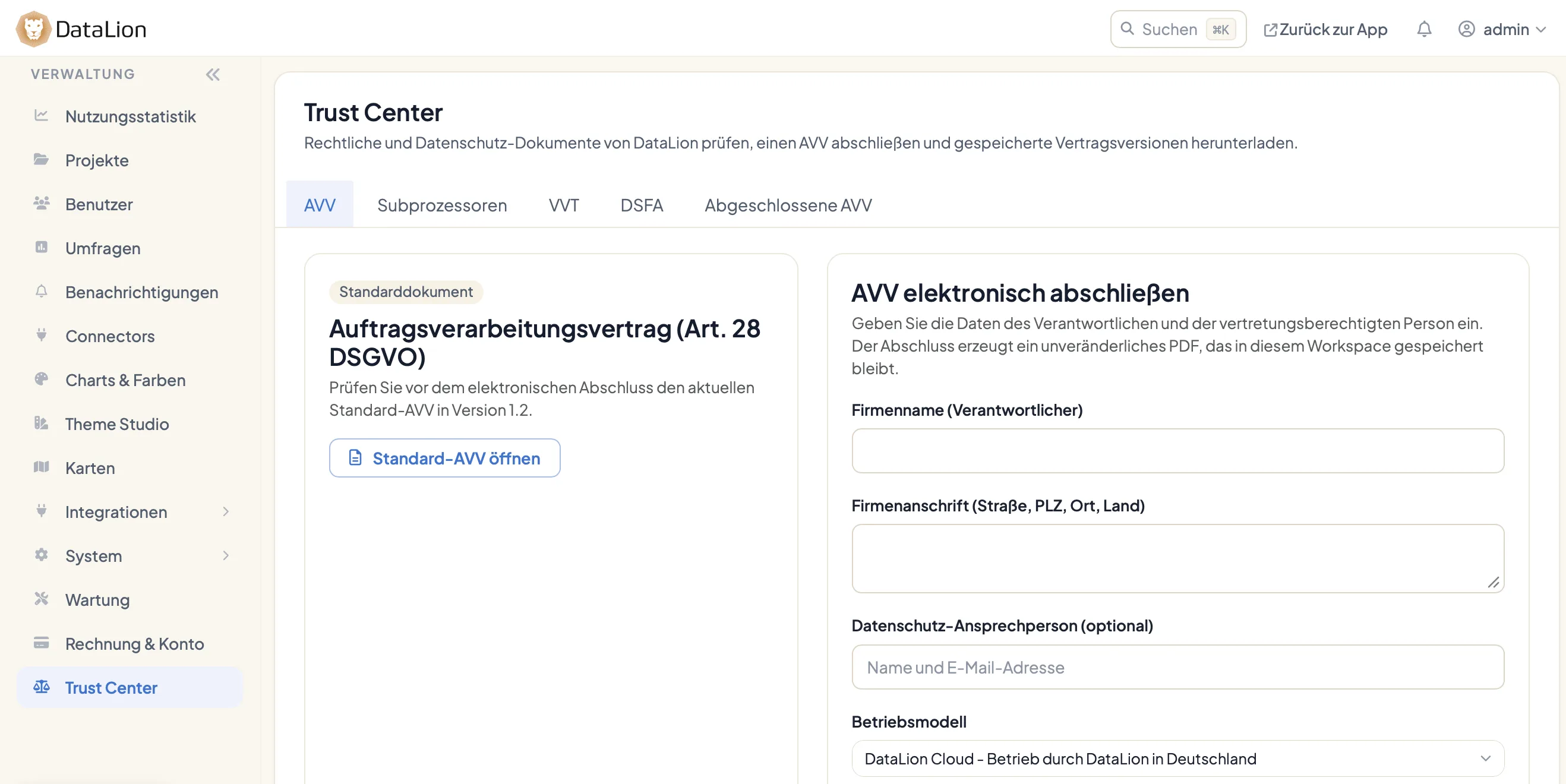
The Trust Center opens up the privacy documentation: Under Admin → Trust Center you will find the DPA, the subprocessor register, the Article 30 ROPA, and the DPIA material for employee and health surveys, plus a customer-specific supplement. Administrators complete the DPA and keep it as an immutable PDF, answer personal-data requests, and erase a user without leaving identifiers behind. How DataLion is hosted and protected is still on our security page.
Live Connectors pull data into a project on schedule: Store and test encrypted credentials once under Admin → Connectors. Scheduled JSON API imports then reuse them, with a custom rows path and either replace or windowed loading. Connector health, errors, and notifications sit in the same place. When an import goes wrong, the failure stays confined to that one import.
✨ What's New
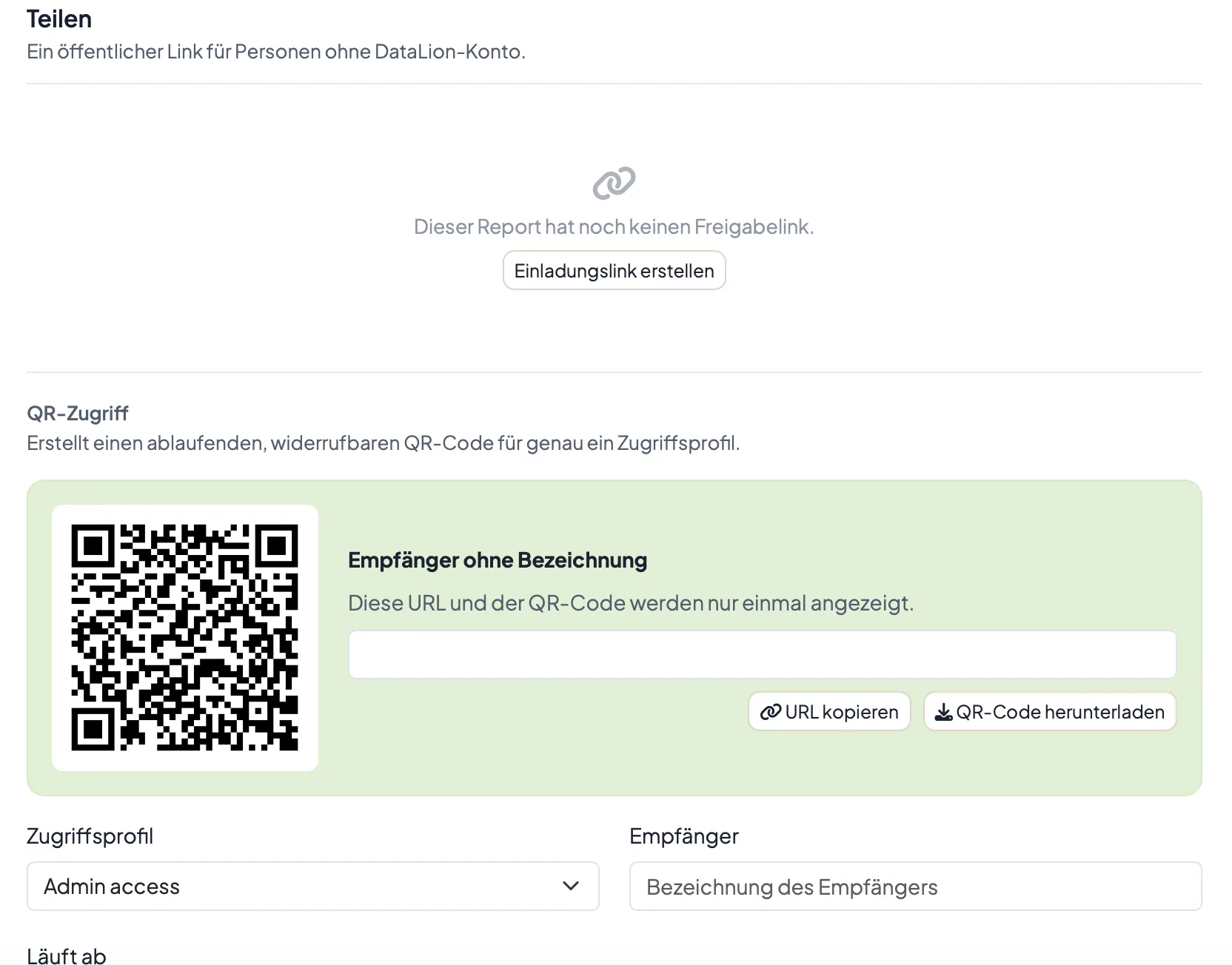
📱 QR access to exactly one report: A QR code from the report editor opens a single report through an existing access profile. The code expires and can be extended or revoked. The profile's filters and category restrictions still apply inside the report and in guest exports.
📊 A chart built for NPS: NPS questions show the score alongside the shares of promoters, passives, and detractors in a compact card that adapts to the screen width. Excel and PowerPoint exports produce the same result.
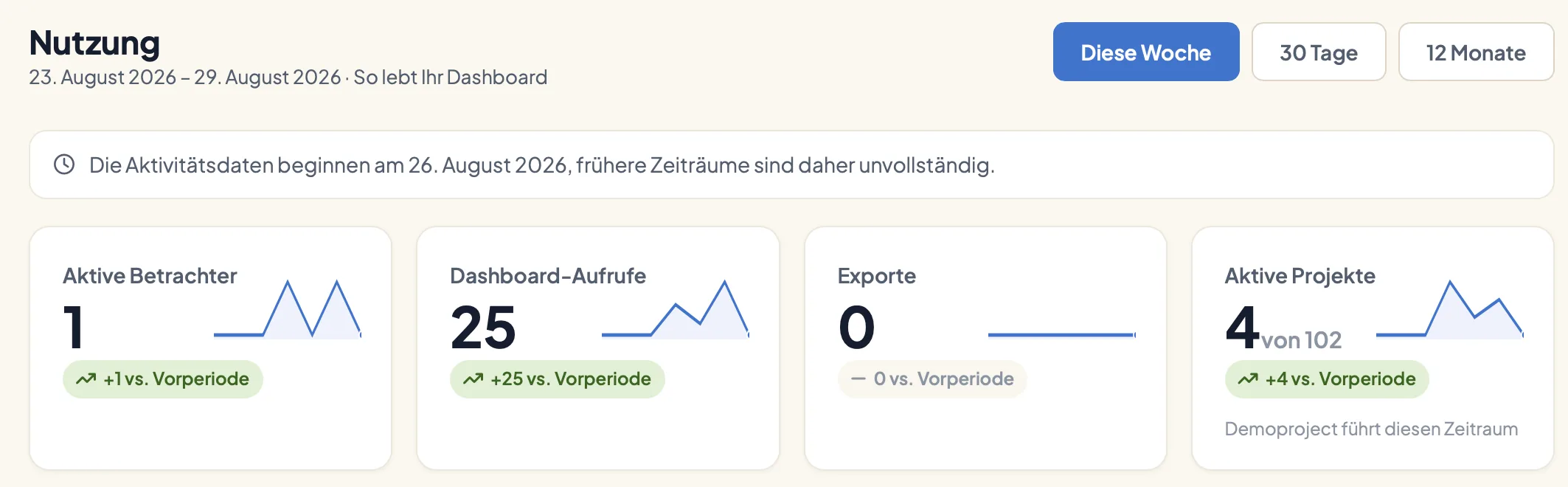
📈 Usage at a glance: Admin → Usage statistics shows active viewers, dashboard views, exports, active projects, comparisons, sparklines, consecutive active weeks, and milestones. Daily rollups keep the page quick even with a long event history.
👤 Invitations instead of shared passwords: Under Admin → Users, create an account silently and invite the person later with a one-time setup link. Existing users have their own reset action. Invitation source, sender, delivery, and acceptance stay traceable, and who gets which rights is still governed by roles.
🏠 More studies to start from: Four housing-sector templates cover tenant satisfaction, cooperative membership, repairs, and modernization. The gallery gains a two-wave resident survey with importance-versus-satisfaction priorities, NPS, sentiment-coded open answers, and an anonymity threshold that hides groups that are too small. A 36-month startup dashboard covers MRR, NRR, churn, burn, runway, acquisition, and activation.
📈 Improvements
⚡ Caching with visible freshness: New projects keep chart results for 24 hours. Entries are separated by project revision, access profile, language, roles, colors, and render context, and any change to data or codebook advances the revision. A small status control names the time the result was calculated and refreshes it on demand.
📥 Imports that can be resumed: If a one-drop import outlives the browser request, check its status and reuse the same token without creating a second project. Successful runs appear in the workspace audit log. CSV files that desktop Excel wrote in Windows-1252 or ISO-8859-1 are converted before import, so names and labels keep their accents and special characters.
📱 Editing on small screens: Report sections scroll horizontally, important actions have touch-sized targets, and chart settings open a taller bottom sheet. The save bar stays clear of the AI assistant. Within the report, compact cards fit their numbers, axes, footers, labels, and toolbar to the space available.
🎨 Chart colors that travel: Styles can assign colors by series position when unrelated questions should share a palette. Mapping by label stays the default. The project canvas, navigation, title, report tabs, cache status, System navigation, and Service Access also follow a clearer shared hierarchy.
🖼️ A gallery for readers: Demos open on the report with the question navigation folded away. Links survive a rebuild, anonymous dataset downloads work again, and sharper thumbnails are cropped instead of stretched. Remote Work Pulse and Digital Europe now have layouts, benchmarks, timelines, palettes, and source notes that suit their data.
🔐 Security
2026.2.196 reduces what your readers' browsers send to third parties. Optional analytics loads only after consent and only on authentication and administration pages; dashboards and shared reports do not load it at all. DataLion serves the fonts for surveys and Theme Studio itself. Response data only travels approved routes to language models, and logs are kept for a bounded period.
🐛 Important Bug Fixes
- Pie and donut: Both chart types are routed to their dedicated renderers again. On stacked charts the tooltip reports the segment under the pointer, calculated stack metrics read the right field, and migrated multistack legends keep their styling.
- Compact chart cards: Short cards no longer cut through numbers, squeeze a timeline into a strip, turn pyramid bars into hairlines, shorten the footer while room remains, or push the toolbar into the next card.
- Titles and tables: Chart titles stay put when the toolbar appears. Stale table responses are discarded after a redraw, state is cleared between charts, and legacy scalar question settings no longer crash tables.
- Codebook text boxes: The setting can finally be switched on and back off. The list shows which boxes are in use, makes unused ones easier to select, and has a pager that really changes the page.
- Gallery bundles: They install even when the gallery workspace has no user. One bad entry no longer stops the rest of a sync, anonymous dataset downloads no longer answer with a server error, and generated demos open on the report they were made for.
- Language and dates: Login and validation errors appear in the active language and inside the relevant form. Future trial dates show a localized date instead of a misleading relative label.
Enjoy DataLion 2026.2.196. Do write and tell us how your first analysis with personal results goes.