
Survey distribution
Share, embed, invite individually
Publish via public link, QR code or iframe embed — or generate one-time invite links as a CSV, each of which accepts exactly one response. URL parameters like source or panel land directly as variables in your dataset.
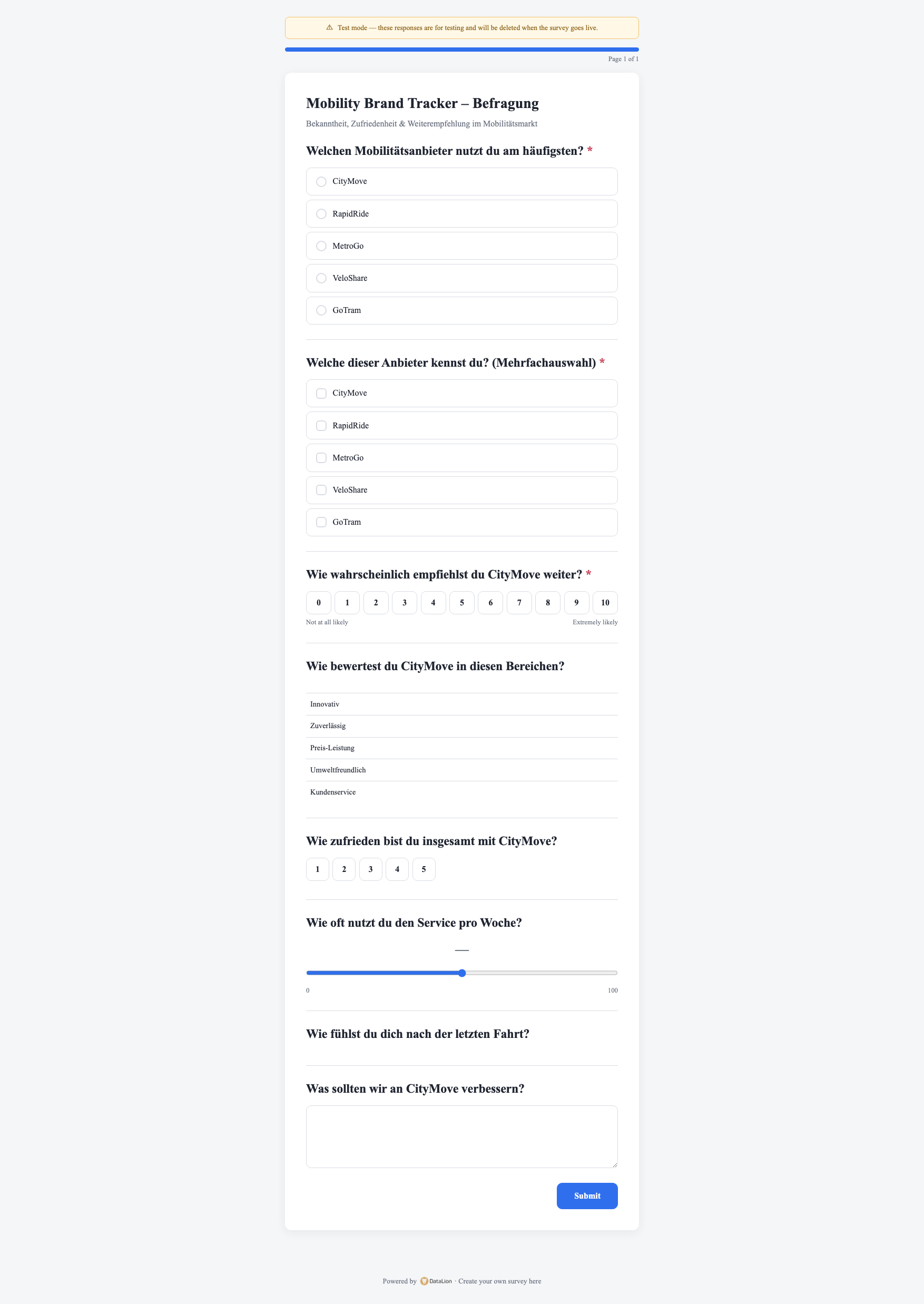
DataLion distributes surveys via a public link, a QR code or an iframe embed. For mailing lists you generate one-time invite links as a CSV — each link accepts exactly one response. URL parameters like source or panel are captured directly as variables. The mobile-first survey runner ships with animated transitions and auto-advance.
- 🇩🇪 Made in Munich
- GDPR-compliant
- DPA included
- Hosted in Germany
- 🌐 Interface in EN, DE, FR, ES, IT & NL
Trusted by research institutes, brands & insights teams






- 50+ interactive chart types
- 20+ statistical methods
- SPSS · Excel · CSV import without data loss
- ISO 27001 certified data centers (Germany)
Link, QR code and embed
The simplest route is a public link, a QR code for print, posters and packaging, or an iframe embed that places the survey straight into your website.
That reaches respondents where they already are — at the point of sale, in the app or on the landing page.
- Public link for email, social and messengers
- QR code for print, posters and packaging
- iframe embed directly on your own website
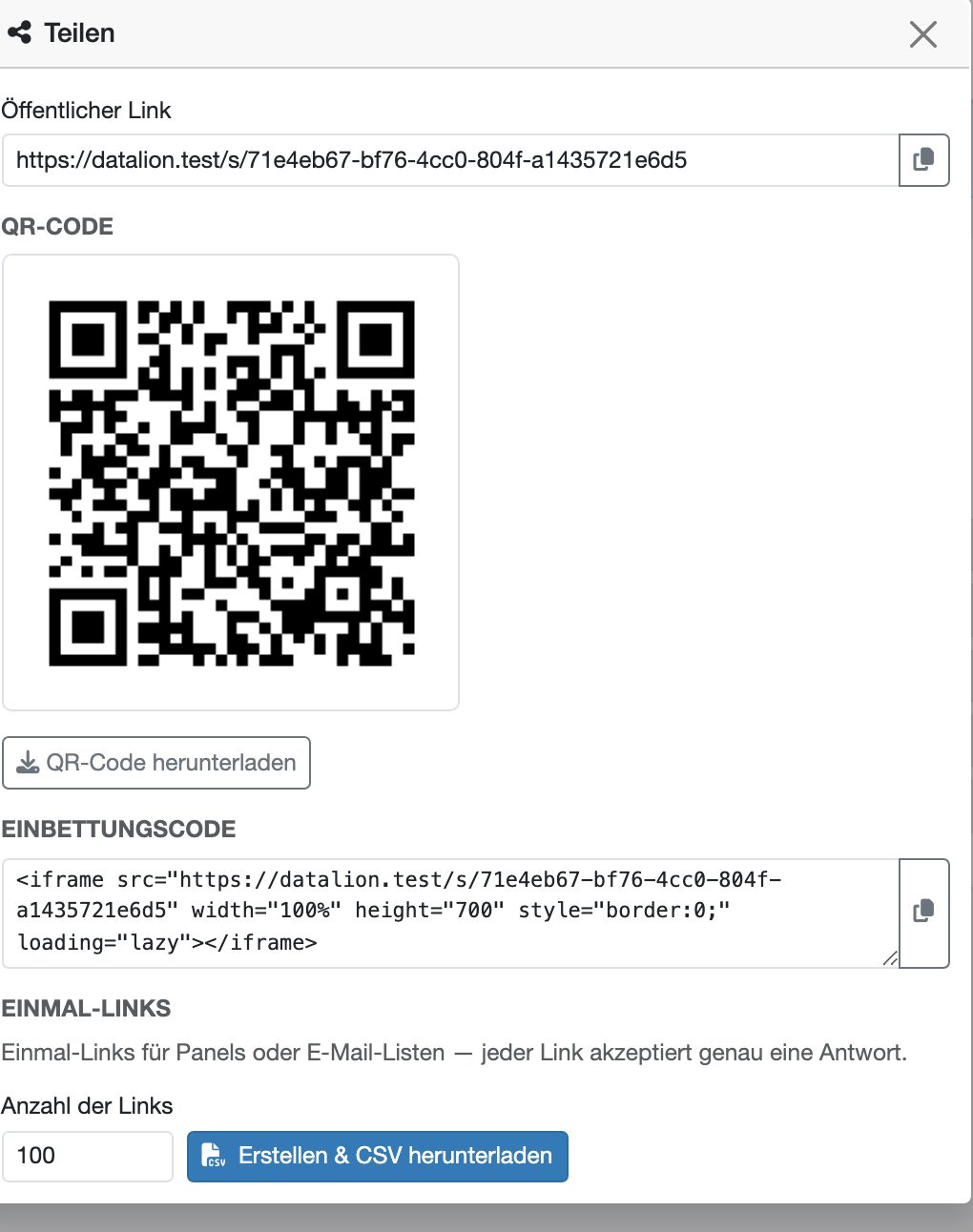
One-time invite links as a CSV
For mailing lists you generate one-time invite links as a CSV. Each link accepts exactly one response — preventing multiple participation and keeping your sample clean.
And because URL parameters like source or panel are captured directly as variables, your dataset later knows exactly which channel each response came from — with no manual attribution.
- One-time invite links as a CSV export
- Each link accepts exactly one response
- URL parameters (source, panel) directly as variables
- Clean sample with no multiple participation
Fieldwork: invitations, reminders and quotas inside DataLion
Until recently distribution stopped at the CSV file: export the links, load them into a mail tool, chase reminders by hand. Under Admin → Surveys → Fieldwork that now lives in DataLion.
You manage contact lists, quotas, duplicate rules and opt-outs there, schedule branded invitations with reminders, and watch delivery status. Localized invitations can be previewed and test-sent before a campaign starts.
None of this changes the panel question: DataLion still does not operate one. For your own distribution list, though, you no longer need a second tool.
- Contact lists, quotas and duplicate rules
- Scheduled invitations and reminders
- Branded, localized invitations with preview and test send
- Opt-outs and delivery status in one place
- Panel redirects for externally fielded samples
Mobile-first survey runner
Respondents experience the survey in the mobile-first survey runner — with animated transitions and auto-advance that moves on automatically after an answer. That keeps drop-off low.
You connect external panels and fielding providers (e.g. Dynata, Qualtrics, LamaPoll) via integrations — DataLion does not operate its own panel, but gives you the link, QR code and parameter capture for any field setup.
- Mobile-first survey runner
- Animated transitions and auto-advance
- Lower drop-off rate
- Panel connection via integrations (Dynata, Qualtrics, LamaPoll)
See DataLion with your own data
Start free with your own raw data. Or book a personal demo of the path to a finished dashboard.
What users say about DataLion
- via G2
The embedding function allows us to generate insights of our data for our audience and customers by far less than half of the usual time needed before.
Verified user · Leisure, Travel & Tourism - via G2
User-friendliness, especially for market research topics. Structured backend with many customization options.
Verified user · Market Research - via G2
The contacts at DataLion are very committed. If you have problems, you can count on help. DataLion reacts quickly to requests for new functions.
Robert Q. · Managing Director - via G2
Very professional company, attentive to the customer needs, provider of a great software and service.
Generoso M. · CRM Analyst, Automotive

We now work much more efficiently, giving us more time to take care of the derivations and insights from the data for the customers.
More survey features
Guides in the help center
Common questions about survey distribution
How can I distribute a DataLion survey?
What are one-time invite links?
Can I capture which channel a response came from?
Is the survey optimized for mobile devices?
Does DataLion offer its own respondent panel?
Get your survey into the field
Try DataLion free: publish a survey, generate a QR code and invite links, and watch responses come in live. Or book a personal demo.