
Team notes and view mode on the dashboard
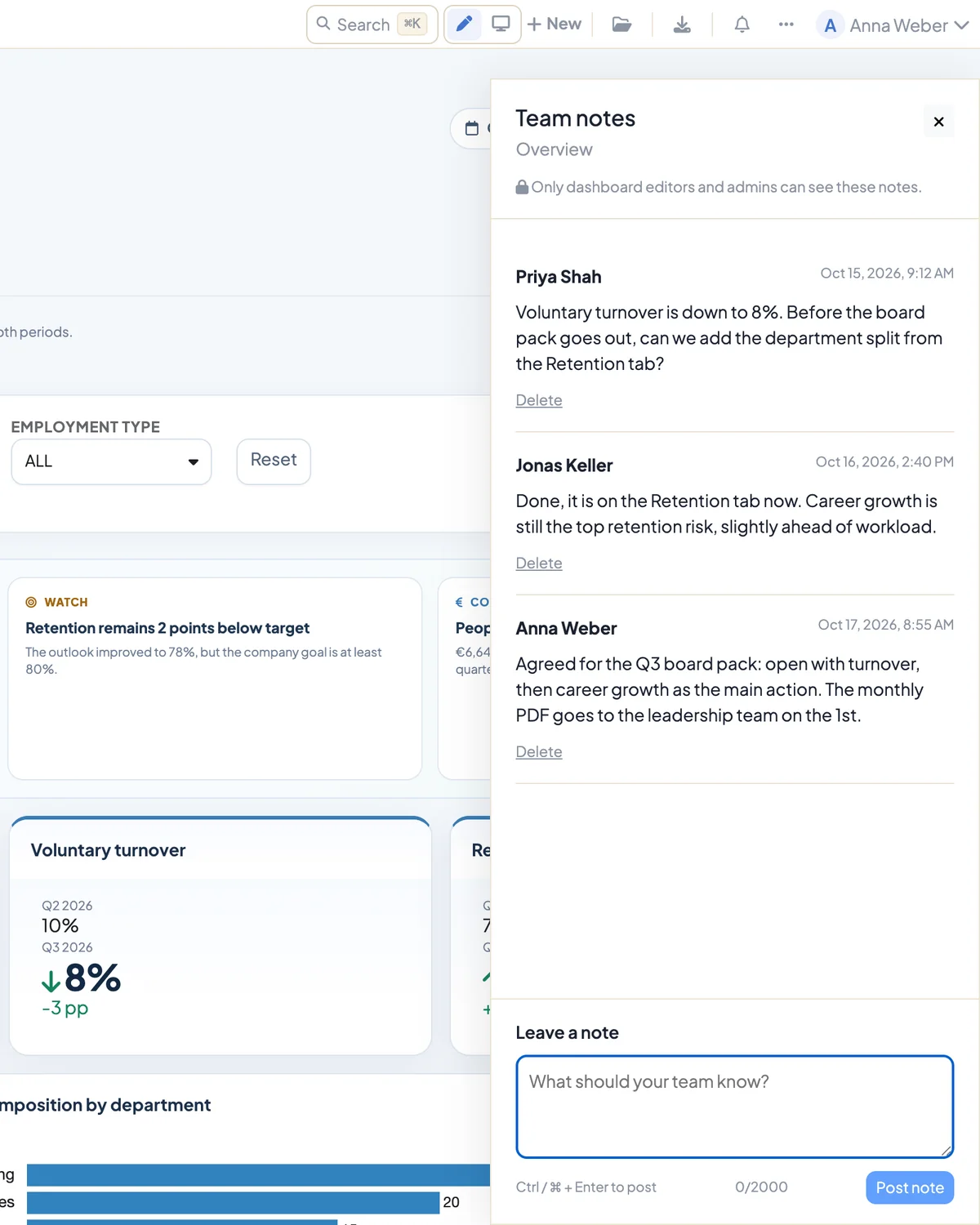
Team notes are a sidebar on saved dashboards. Whoever edits the dashboard can record questions, decisions and handovers there, right next to the numbers they are about. Readers of the dashboard see none of it.
Requirements
- DataLion release 2026.2.199 or later.
- A saved dashboard. New tabs that haven’t been saved yet have no team notes.
- Edit rights for the dashboard. Only editors and administrators can see and write notes.
Read and write notes
- Click Team notes at the top right of the dashboard. The sidebar opens.
- At the top you see the tab’s name and the line “Only dashboard editors and admins can see these notes.” The notes follow, each with a name and a timestamp, newest at the bottom.
- Write your text under Leave a note. A note can be up to 2,000 characters; the counter sits below the field.
- Click Post note or press Ctrl or ⌘ plus Enter.
While the sidebar is open, it checks for new notes every 15 seconds, so you see your colleagues’ replies without reloading the page. Load older notes fetches earlier ones.
Delete notes
- Delete your own notes with Delete below the note.
- Administrators can delete any note, for example if it contains personal data by mistake.
- Deleting is permanent. Notes can’t be edited; write a new one instead.
A note from an account that has since been deleted shows “Deleted user”.
Who sees the notes
Team notes stay with the editing team. They do not appear
- in shared links and embeds,
- in PDF, image, PowerPoint or Excel exports,
- in scheduled report delivery,
- for viewers without edit rights.
Check the dashboard in view mode
Next to the search at the top of the dashboard there are two buttons: a pen for Edit and a screen for View mode. View mode hides the editing tools and locks the grid. Cards can no longer be moved, and you see the dashboard the way viewers see it. The pen takes you back.
- The browser remembers your choice. When you open the dashboard again, it starts in the mode you used last.
- The command palette under ⌘/Ctrl+K has the command Switch between edit and view mode.
- Only people who may edit the dashboard see the buttons. They are missing in shared and embedded views.