
Hotel Guest Satisfaction (post-stay)
After check-out, collect structured feedback on rooms, service, breakfast and recommendation – via QR code at reception or a link in your departure email.
The live demo opens the real questionnaire — no signup required.
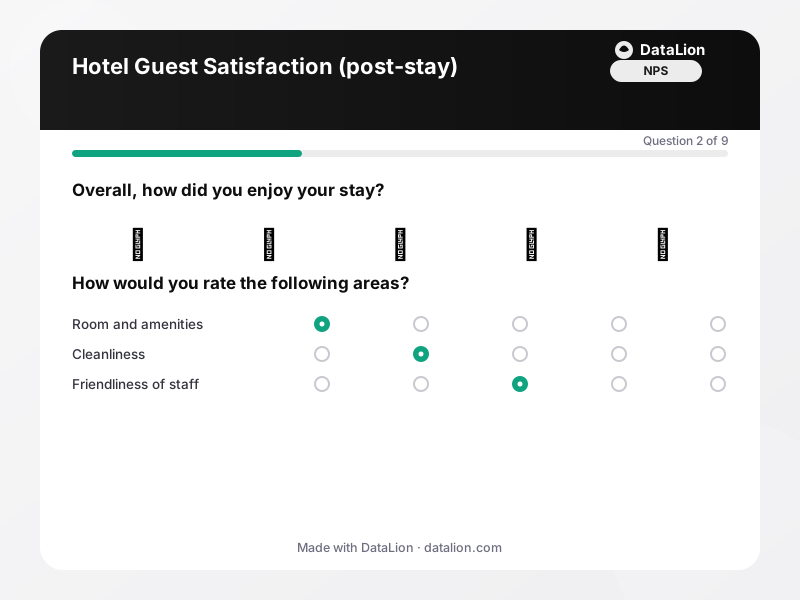
This template captures overall satisfaction on an emoji scale, rates the key aspects of the stay in a matrix and measures recommendation with NPS. Two open questions collect verbatims on praise and improvements; an optional contact question with consent enables privacy-compliant follow-ups. URL parameters in the survey link can carry property, floor or booking channel as a hidden variable – ideal for hotel groups with several properties.
When should you use this template?
This template is a great fit for:
- In the departure email or as a QR code on the invoice
- At reception during check-out
- As an always-on survey with a live dashboard across the season
Every question in this template
- 1Emoji scale
Overall, how did you enjoy your stay? *
- 😡Very bad
- 🙁Bad
- 😐Neutral
- 🙂Good
- 😍Excellent
- 2Matrix
How would you rate the following areas?
Very poor Poor Average Good Very good Room and amenities Cleanliness Friendliness of staff Check-in and check-out Breakfast and dining - 3NPS (0–10)
How likely are you to recommend our hotel to friends or family? *
- 4Single choice
What was the occasion of your trip?
- Holiday / leisure
- Business trip
- Visiting family or friends
- Event / conference
- Other
- 5Single choice
Would you stay with us again?
- Yes, definitely
- Maybe
- Probably not
- 6Long text
What did you particularly enjoy?
- 7Long text
What could we improve?
- 8Consent
I agree that my contact details may be stored so the hotel can contact me with questions about my feedback.
- 9Contact details
Your contact details (optional)
- Name
From questionnaire to dashboard
The auto-generated dashboard turns guest feedback into a running quality cockpit:
- Aspect profile: Means for rooms, cleanliness, staff, check-in, breakfast and value for money – see at a glance which area is slipping.
- Recommendation (NPS question): The 0–10 distribution shows promoters and detractors; use filters to compare properties, travel occasions or seasons.
- Satisfaction across the season: Every response is stored with a timestamp, so satisfaction can be plotted over time – for instance to see the effect of a renovation or a staffing change.
Related survey templates
- Restaurant Guest FeedbackShort, anonymous feedback on food, service and ambience – via QR code on the table, the bill or the menu.
- System Usability Scale (SUS)The standard usability questionnaire: 10 statements, one score from 0 to 100 – comparable with thousands of studies. Includes the established German translation.
- Beta Test FeedbackStructured feedback from beta testers: usage depth, stability, missing features and the disappointment question as an early product-market-fit indicator.
- Campsite Guest Survey (post-stay)After departure, collect feedback on pitches, sanitary facilities, team and activities – via QR code at reception, at the barrier or in your departure email.
Frequently asked questions
How do I compare several properties of a hotel group?
Is the survey anonymous?
Start with this template
Load the template into DataLion, adapt it to your brand and start collecting responses — GDPR-compliant, in minutes.