Exasol specifics
Unlike MySQL, Exasol is a column-oriented relational database management system, which makes it particularly suitable for wide datasets (more than ~1,500 columns). It is also considerably faster with large datasets.
Keep the following points in mind when importing CSV datasets into an Exasol project:
-
Variable names in upper case (recommended; relevant for reserved words in quotation marks)
-
Decimal separator: period instead of comma
-
No spaces in numeric columns
-
No NULL
-
No duplicate column names
-
No umlauts in column names
-
No special characters such as ’$’ or ’-’ in a column name
-
No period in the column names
-
No special characters such as _ at the start of the column name
As with an import into a MySQL database, the dataset should be UTF-8 encoded and use Unix line endings. You can read more about this here.
The Exasol error message “simple identifier expected”, for example, indicates that one or more column names contain periods (.).
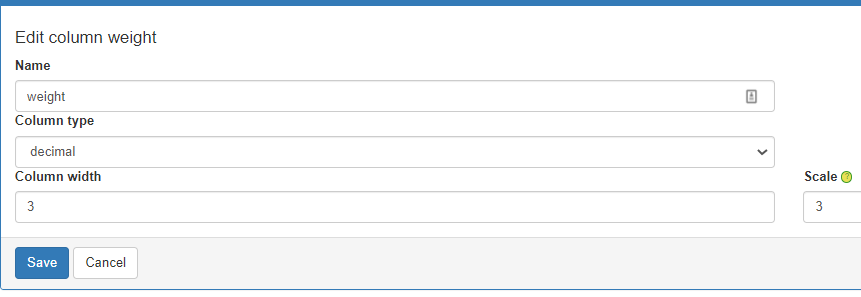
If you use a weight variable, make sure that its variable type is “decimal”. You set the variable type in the project backend under DataSources in the relevant data source. To open the editor for this setting, click the blue edit icon of the variable.

Also make sure you enter the correct decimal precision of the weight variable in the “Scale” field.